


Close Menu
GamesHorizonGamesHorizon
  • News
  • Guides
  • Reviews
  • Features
  • Platforms
    • PC
    • PS5
    • Xbox Series S
    • Nintendo
    • PS4
    • Xbox One
  • Anime
  • Game Hubs

Subscribe to our Newsletter

Get the latest gaming news, guides and reviews from GamesHorizon to your INBOX!

WHAT'S HOT
Seven Deadly Sins Origin Dark Abyss Flare Feature Image

The Seven Deadly Sins Origin – How to capture the Dark Abyss Flare (Nightmare Fury)

June 26, 2026
Seven Deadly Sins Origin icy Frosty Bear View on Menu

How to Capture Icy Frost Bear in The Seven Deadly Sins Origin

June 26, 2026
Black Ops 7 Zombies Kowakujō Headphone Feature Image

BO7 Zombies Kowakujō All 3 Headphone Locations

June 26, 2026
Facebook X (Twitter) Instagram Pinterest
  • Starfield
  • REPLACED
  • Alabaster Dawn
  • Outbound
  • The Adventures of Elliot
GamesHorizonGamesHorizon
  • News
    Aceles or Mircobe in Starfield

    Starfield’s performance on PS5 leads to players demanding refunds

    April 13, 2026
    A Rockband poster with someone playing a guitar in front of others playing instruments

    Rock Band 4 Is Getting Delisted This Month

    October 1, 2025
    Xbox Series X and Series S placed together on a table.

    Microsoft’s Website Crashes as Gamers Boycott Xbox Pay Everywhere Over 50% Price Hike

    October 1, 2025
    Ubisoft’s New ‘Vantage Studios’ Gives Its Franchises to the Guy Whose Last Gig Was an Anime Avatar AI/NFT Startup - - News | Multi-Tool in Killing Floor 3 | GamesHorizon

    Ubisoft’s New ‘Vantage Studios’ Gives Its Franchises to the Guy Whose Last Gig Was an Anime Avatar AI/NFT Startup

    October 1, 2025
    Fortnite Peacemaker doing a nazi symbol

    Fortnite Removed an Emote for Racist Origins

    September 29, 2025
  • Guides
    Seven Deadly Sins Origin Dark Abyss Flare Feature Image

    The Seven Deadly Sins Origin – How to capture the Dark Abyss Flare (Nightmare Fury)

    June 26, 2026
    Seven Deadly Sins Origin icy Frosty Bear View on Menu

    How to Capture Icy Frost Bear in The Seven Deadly Sins Origin

    June 26, 2026
    Black Ops 7 Zombies Kowakujō Headphone Feature Image

    BO7 Zombies Kowakujō All 3 Headphone Locations

    June 26, 2026
    RuneScape Dragon WIlds Obsidian Cape Menu Feature Image

    RuneScape Dragon Wilds – How to get the Obsidian Cape

    June 25, 2026
    RuneScape Dragon Wilds Magic Carpet Screen Feature Image

    RuneScape Dragon Wilds: How to Unlock Carpet Mount

    June 25, 2026
  • Reviews
  • Features
    Starfield Feature Image

    Everything Added to Starfield since Launch

    April 7, 2026
    An overview of the scenery in Dying Light The Beast

    Where Does Dying Light The Beast Take Place?

    September 15, 2025
    First-person combat showcased in Borderlands 4, highlighting its vibrant weapon designs and firefights.

    Borderlands 4 Needs to Have These Features From Borderlands 3

    September 10, 2025
    A screenshot from the games Ender Lilies: Quietus of the Knights, Bō: Path of the Teal Lotus, and Hollow Knight

    Best Games Like Hollow Knight Silksong

    September 9, 2025
    Remi disguised as a townsperson and standing in the woods

    Hell Is Us First Impressions

    August 25, 2025
  • Platforms
    • PC
    • PS5
    • Xbox Series S
    • Nintendo
    • PS4
    • Xbox One
  • Anime
    Smiling Statue In Solo Leveling, Explained and Answered

    Solo Leveling Statue Smile Explained: The Cruel Creator, System Blueprints, and Season 3 Secrets

    May 26, 2026
    All About Baruka In Solo Leveling

    All About Baruka In Solo Leveling

    March 21, 2024
    9 Strongest Mashle Characters, Ranked

    9 Strongest Mashle Characters, Ranked

    March 21, 2024
    Mashle Season 2 Episode 11 Release Date Details

    Mashle Season 2 Episode 11 Release Date, Time, And Where To Watch

    March 20, 2024
    Solo Leveling Episode 11 Expectations

    Solo Leveling Episode 11: Release Date, Time, And Where To Watch

    March 20, 2024
  • Game Hubs
GamesHorizonGamesHorizon
Home»Guides
How to obtain a Multi-Tool in Killing Floor 3
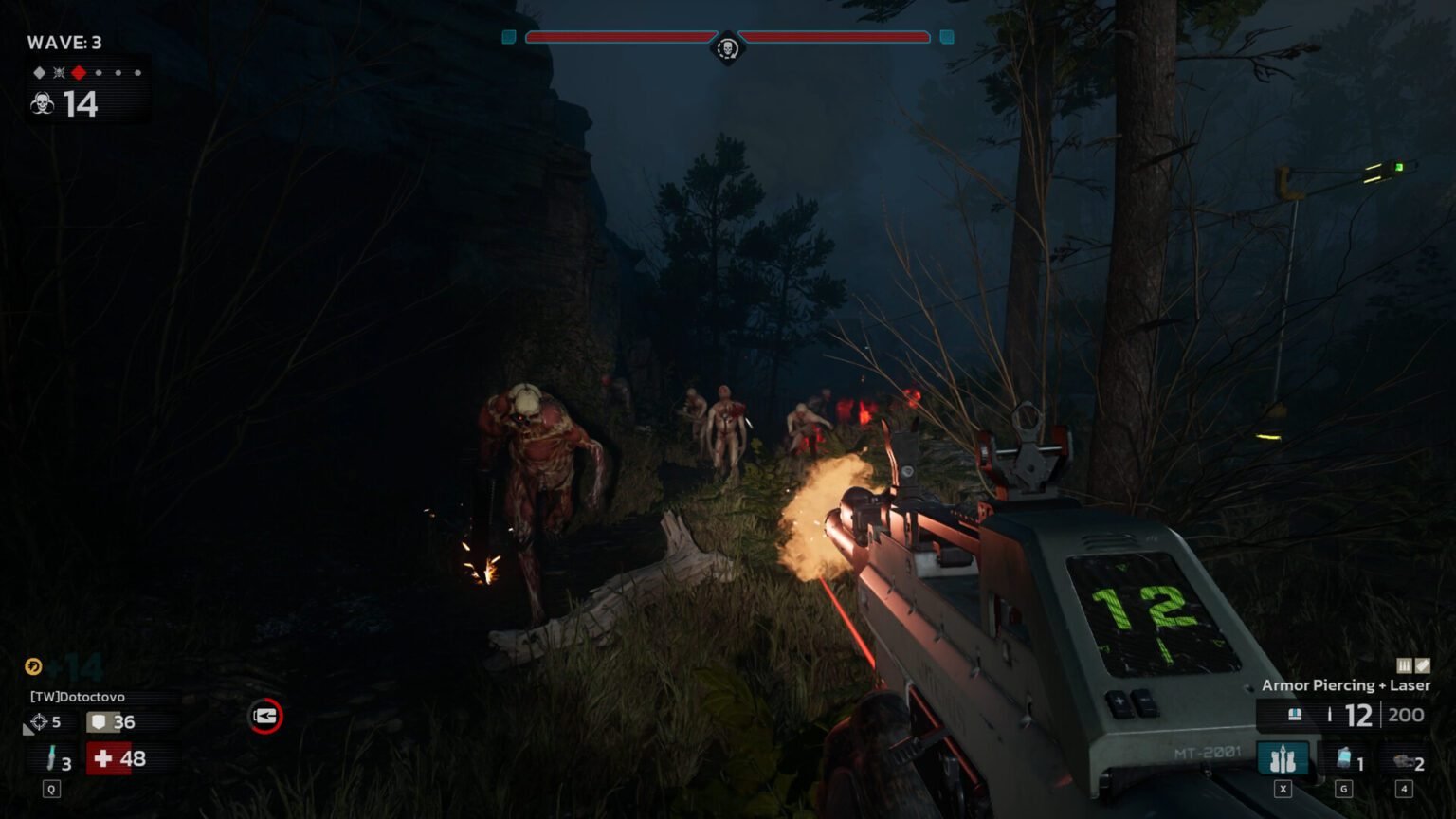
This guide will help you to track the Multi-Tool (Image Source: Tripwire Interactive)

Complete Multi-Tool Guide In Killing Floor 3: How to Get & Use

RishiBy Rishi3 Mins Read Guides July 25, 2025
SHARE
Facebook Twitter Reddit WhatsApp Telegram Tumblr

We’re used to looking for weapons in games like this, but the Multi-Tool in Killing Floor 3 is different. It isn’t meant for tearing through Zeds but instead acts as a vital utility item that can quietly decide how smooth your run goes. From unlocking armor lockers to enabling ziplines and repairing objectives, it plays a bigger role than it first seems.

If you’re unsure where to get it or why it’s worth keeping in your loadout, here’s what you need to know.

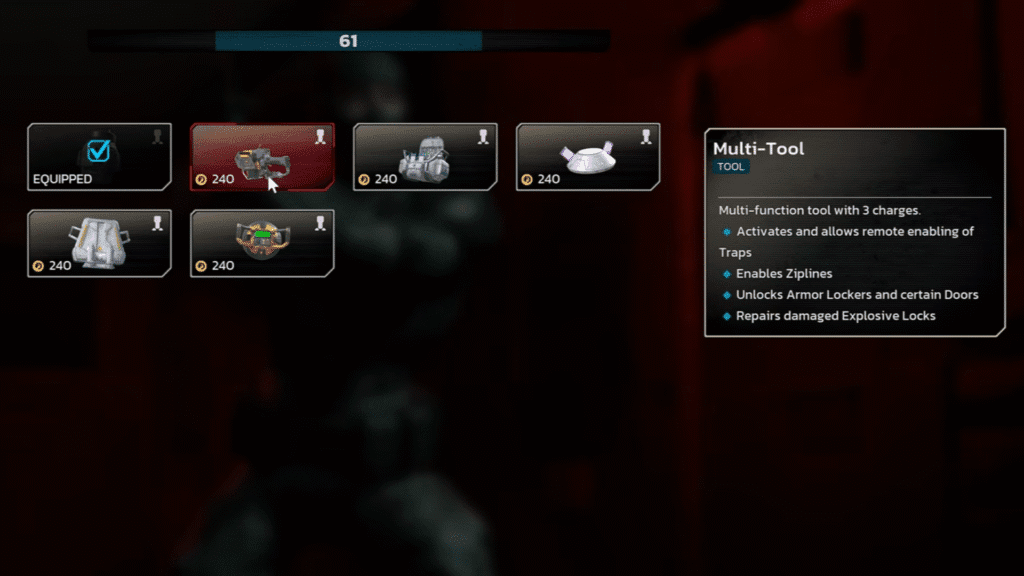
Buying the Multi-Tool in Killing Floor 3 During Matches
How to obtain a Multi-Tool in Killing Floor 3
Multi-Tool’s lore (Image Source: Tripwire Interactive)

You won’t find the Multi-Tool in Killing Floor 3 lying around on the map — it’s something you purchase directly from the Trader Pod between waves. After each round ends, the game rewards you with Dosh (its in-game currency) based on kills and objectives. That Dosh is what you’ll spend to stock up on ammo, grenades, or new weapons… and the Multi-Tool.

When you reach the Trader, follow the blue holographic path that guides you to the station. Open the shop menu, switch to the Tools section, and scroll until you see the Multi-Tool listed. Buy it, confirm, and it will be immediately added to your loadout for the next round.

Why the Multi-Tool Matters

The Multi-Tool in Killing Floor 3 doesn’t do damage, so there is a chance that budding gamers sometimes ignore it in favour of extra firepower. But its uses go beyond combat and can seriously improve your team’s efficiency mid-match:

  • Unlocking armor lockers and special doors : These lockers refill your armor meter, and some locked doors open shortcuts or new areas worth exploring.
  • Activating Ziplines: Ziplines are lifesavers for quick escapes or repositioning during hectic waves, and only the Multi-Tool can power them up initially.
  • Powering Traps and Automated Turrets: Certain traps, like giant fans that sweep Zeds off catwalks, or Auto-turrets that lay down covering fire, must be activated with the Multi-Tool first. After you turn them on, anyone can interact with them freely when they come off cooldown.
  • Repairing Explosive Locks and Objectives: Some mission objectives require quick repairs, and this tool handles that job efficiently.

Each Multi-Tool in Killing Floor 3 comes with three charges, so you’ll need to think about when to use it rather than spamming it on every interaction.

Using It Effectively

We recommend using the Multi-Tool in Killing Floor 3 for activating traps, turrets, or ziplines early so the whole squad can benefit, especially since most of these map elements can be reused once their cooldowns reset. If you’re playing solo, having one is practically mandatory because it opens up routes and defenses you’d otherwise miss entirely.

Another small but important tip: you can switch tools at the Trader between waves. For example, activate a turret with the Multi-Tool, then swap it for an Explosive Lock or Syringe Kit to help in the next phase. Those activated traps will remain functional, giving you flexibility in your loadout without losing progress.

That concludes our guide on the Multi-Tool in Killing Floor 3. For more updates on games, do check Games Horizon.

Killing Floor 3
Share. Facebook Twitter Reddit WhatsApp
Rishi

LATEST POSTS

Seven Deadly Sins Origin Dark Abyss Flare Feature Image

The Seven Deadly Sins Origin – How to capture the Dark Abyss Flare (Nightmare Fury)

Seven Deadly Sins Origin icy Frosty Bear View on Menu

How to Capture Icy Frost Bear in The Seven Deadly Sins Origin

Black Ops 7 Zombies Kowakujō Headphone Feature Image

BO7 Zombies Kowakujō All 3 Headphone Locations

RuneScape Dragon WIlds Obsidian Cape Menu Feature Image

RuneScape Dragon Wilds – How to get the Obsidian Cape

RuneScape Dragon Wilds Magic Carpet Screen Feature Image

RuneScape Dragon Wilds: How to Unlock Carpet Mount

RuneScape Dragon Wilds Feature Image

RuneScape Dragon Wilds: How to start & complete Contact Quest

RuneScape Dragon Wilds Infinity Robe Set Feature Image

RuneScape Dragon Wilds: How To Craft the Infinity Robe Set

Deltarune Chapter 5 Fox Collectibles Feature Image

Deltarune Chapter 5 – All 5 Fox Locations

Deltarune Chapter 5 Secret Egg Room

How to find the Secret Egg in Deltarune Chapter 5

Half Sword Patch Update Feature Image

Half Sword – All Changes in Patch 0.6.1

FOLLOW US
  • Facebook
  • Twitter
  • Instagram
  • Pinterest

Subscribe to our Newsletter

Get the latest gaming news, guides and reviews from GamesHorizon to your INBOX!

MOST READ
15 Best Game Trilogies Of All Time, Ranked - - News | Multi-Tool in Killing Floor 3 | GamesHorizon
15 Best Game Trilogies Of All Time, Ranked
RPG genre
The Best RPGs Of All Time – Updated For 2025
30 Best PS5 Games To Play In 2025 - - News | Multi-Tool in Killing Floor 3 | GamesHorizon
30 Best PS5 Games To Play In 2025
40 Best PS4 Games You Shouldn't Miss (Ranked) - - News | Multi-Tool in Killing Floor 3 | GamesHorizon
40 Best PS4 Games You Shouldn’t Miss (Ranked)
All rights reserved. Copyright © 2023 GamesHorizon.
  • About Us
  • Editorial Standards
  • Privacy Policy
  • Terms and Conditions
  • Contact Us

Type above and press Enter to search. Press Esc to cancel.

GamesHorizon
Powered by  GDPR Cookie Compliance
Privacy Overview

This website uses cookies so that we can provide you with the best user experience possible. Cookie information is stored in your browser and performs functions such as recognising you when you return to our website and helping our team to understand which sections of the website you find most interesting and useful.

Strictly Necessary Cookies

Strictly Necessary Cookie should be enabled at all times so that we can save your preferences for cookie settings.

Analytics

This website uses Google Analytics to collect anonymous information such as the number of visitors to the site, and the most popular pages.

Keeping this cookie enabled helps us to improve our website.