





The Cosmos Update in NMS adds a bunch of new things to the game, but out of them all, the ability to own your space station and become a director is the show-stealer for many players. If you have been playing the game for a long time, you definitely want to own a space station that you can customize to make it feel grand in space. With the amount of customization tools you have in your possession, you can make a space station stand out in the void of space.
Here I will go in depth on how you can own a space station and fill up any requirements needed to claim the ship, and lastly, how to customize the ship in No Man’s Sky.
How to Own a Space Station in No Man’s Sky

It’s as easy as stealing candy from a baby; just fly up to any abandoned space station, fill up its requirements to claim the station for your own. You can further build and add new decorative items once you become the director of the station. Claiming an unclaimed ship will help you become a director of the ship.
Claiming a Space Station
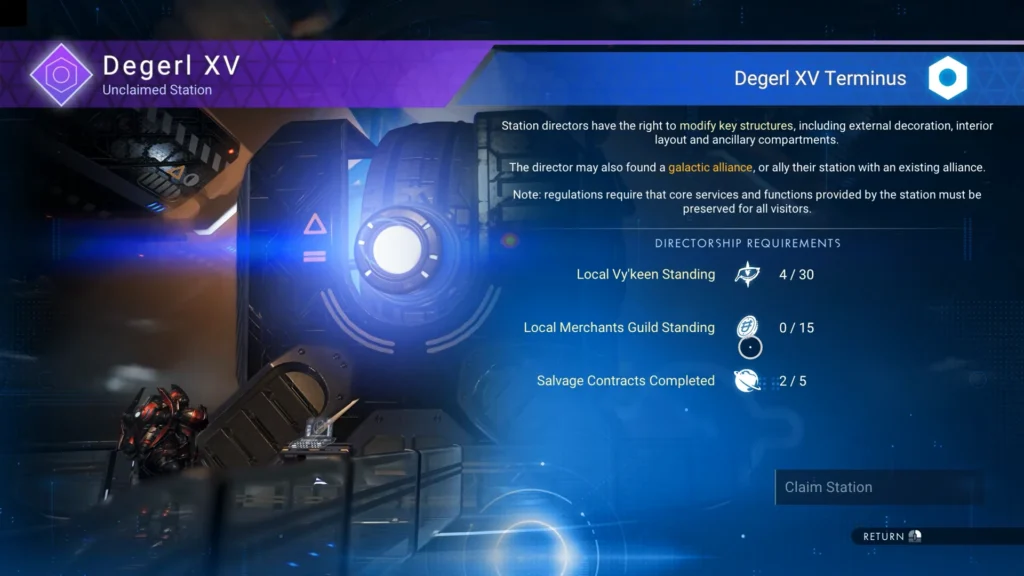
If you come across any space station while exploring space, just fly up to it, head inside, and interact with the Station Core to get the option to Claim Space Station.
When you hit Claim the Ship, you run into some requirements that you must complete to gain the ability to claim the station. The requirements come in the form of standings and contract completion. The ship shown in the picture above requires two standing requirements and completion of contracts. Here, the player must meet both standing requirements and complete contracts to claim the station.
Completing Contracts and Improving Standings
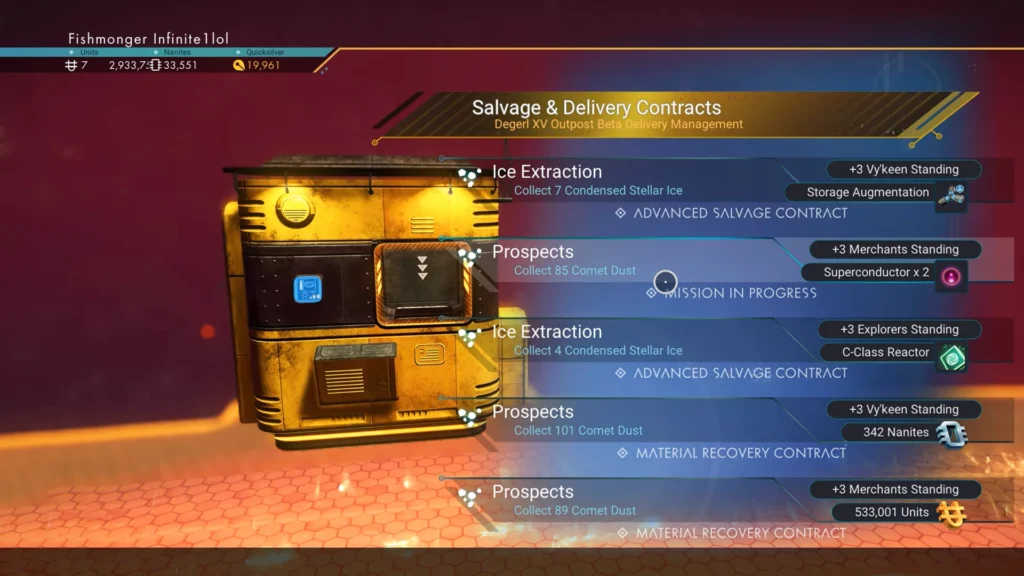
Open up the Map (By Pressing “V“)and head on over to any Deep-Space Outposts. Get to these outposts, and you will find a yellow machine called “Beta Delivery Management”. Here you will find Advanced Salvage and Material Recovery contracts; completing them will award you rare materials and standings. Giving gifts or making donations to factions also improves standing; for the Gek, giving them Gek Relics will increase standing; the same goes for other factions. Do note, each faction will have their own specific requirements.
Before you go out on an adventure to find a Deep-Space Outpost, I highly recommend that you install Tractor Beam and Gravitino Coil; these two will come in handy when you fill up the requirements to claim a space station.
- Tractor Beam (Corvette Utility Module): It will allow you to collect and store salvage and debris. It will cost you 350,000 Units for a single one.
- Gravitino Coil (Industrial Waste Manipulation Device): It allows you to use a magnetic field to attract and repel waste. It functions the same as the gravity gun in Half-Life 2. You will need x3 Magnetic Resonators,m x1 Gravitino Ball, and x50 Chromatic Metal.
Gravitino Coil will allow you to attract debris with the multi-tool; once you have the debris in your possession, throw the debris at the Tractor Beam installed on your ship to store it. It works the same as in Portal, where you grabbed the cube and threw and placed it on any surface; now you are just collecting waste from outer space and storing it via Tractor Beam. The name changed, but the action stays the same.
Customize Space Stations
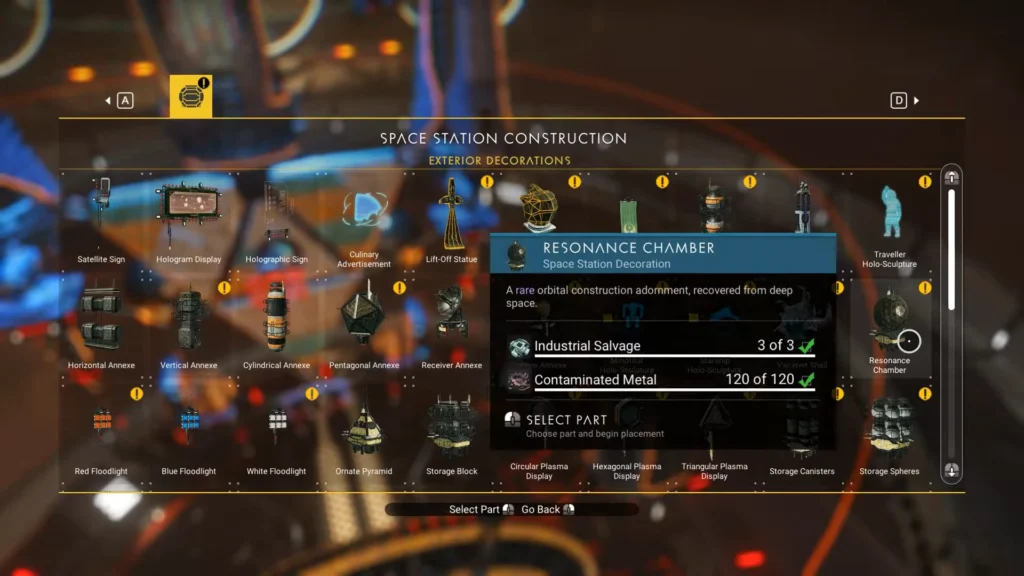
Once all the requirements are met, then you hit claim and own the entire space station. Congratulations, now you are the director of the brand new space station. Now you will have a new set of options to perform customization of your new ship. The game gives you the option to:
- Capture New Base Screenshot
- Modify Station Exterior
- Upload Base
- Delete Base
Head to the Construction Research Station and then select Station Decoration to see new decoration items that you can use to customize your station exterior. There are hundreds of these decoration items that you can put up on your station to deeply personalize the station to your liking. Once you’re done making changes, you can either take a screenshot or upload the base online.
