




Whether you are a rookie in the farm sim category or a veteran in the field, Humble Games’ newest farm sim game Coral Island poses quite the challenge with all its unique techniques and playstyle.
The game requires you to manage a farm, build relationships with the townsfolk, and take care of all your farm animals. You also have to rejuvenate the town and heal all its curses so that it comes back to life and prospers like never before.
But all this managing can get a little tough if you do not have the right tips and tricks to guide you to an easier path. We have compiled the all the important beginner tips for Coral Island to make your journey easier.
On This Page
Tip 1: Clear Edges Around The Farm First
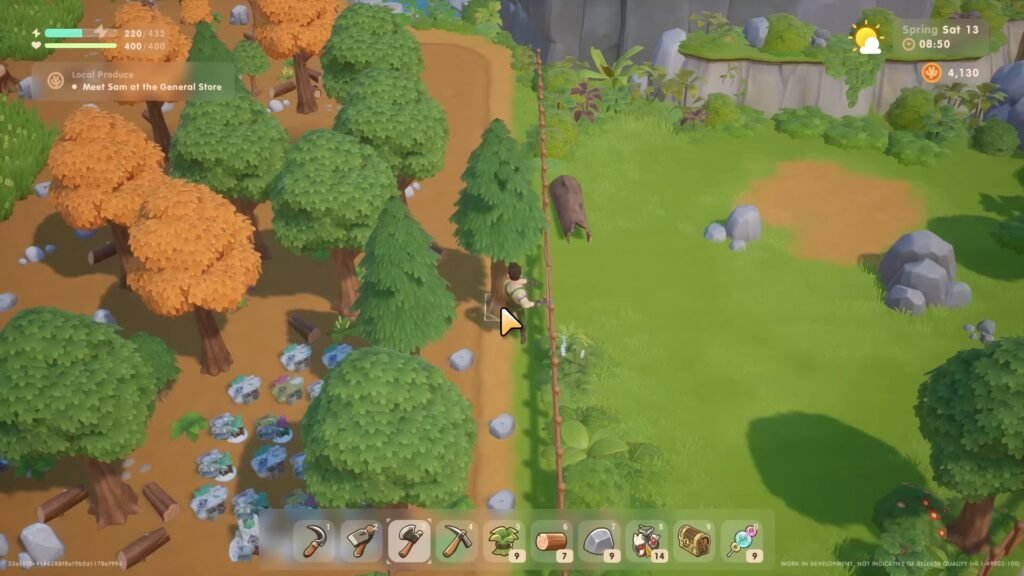
When you start clearing out your farm, and after you have cleared out a portion for your planted seeds, focus on clearing the path around the edges of the entire land first before clearing out the middle. This allows you to move around Starlet Town without worrying about time.
You’ll find it easier to run home from your adventures around the town if the path to your farm is not obstructed by rocks, grass, etc.
Tip 2: Don’t Throw Away Trash
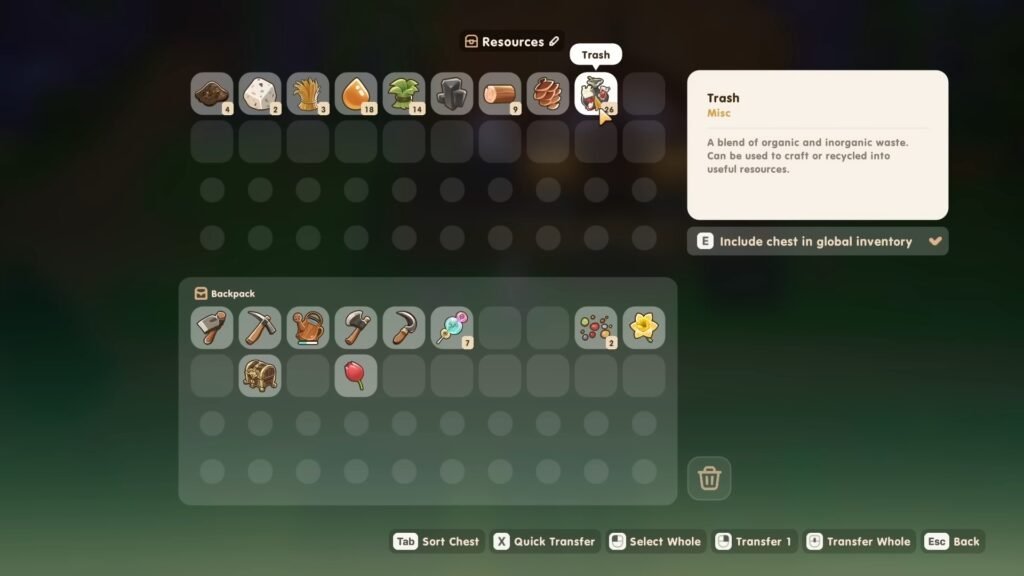
You’ll find plenty of trash all over your farm — in the trash cans of Starlet Town, while diving underwater and on the beach. Make sure to collect them all and try not to throw them away. Trash in Coral Island is a very useful resource that can be used to craft a variety of things, including scraps.
You can make a chest using a bunch of collected trash and some wood and use it exclusively for storing all the rubbish you can collect throughout the town. Trash can also be sold for 1 coin a piece, which hardly makes for a profitable resource. Instead, just collect them all and keep them stored for whatever use necessary.
Tip 3: Dig Lucky Clover Areas
While venturing out in the tropical lands of Starlet Town, you will come across small green clover leaves poking from the ground. These clover leaves are the lucky clovers that drop random items when tilled with a hoe. This is a handy Coral Island beginner tip to remember as you explore the map.
They can drop items like wild seeds, clay, and random forageables. Lucky Clovers can spawn at random locations every day, making it impossible to mark their exact locations. Just run around the forest, beach, and nearby farmland to spot these green leaves in Coral Island.
Tip 4: Undo Tilled Land Using The Pickaxe
If you are tilling your farmland with a hoe and mistakenly till some extra areas, just fix them by using your pickaxe on that tilled land. This will fix the land back to its original form without the trouble of having to wait several days for the land to fix itself.
This is also super helpful when you are tilling specific areas covered by your scarecrow and going one tile over somehow. Just keep your pickaxe in your toolkit to solve these issues immediately.
Also Read: How To Complete Band Of Smiles Quest In Coral Island
Tip 5: Enable Autorun And Use Dash
This is one of those life-saver beginner tips for Coral Island. If you’re tired of holding Left Shift to sprint around, go to settings and enable autorun to toggle sprint. This will make your character automatically run around and save precious time while you are doing various tasks.
You can also tap Spacebar to dash for a bit, giving your character that boost to catch up to NPCs and rare insects required for the Museum. But if the Sprint is not your style, you can always change it back to hold or disable it entirely.
Tip 6: Adjust Game Speed
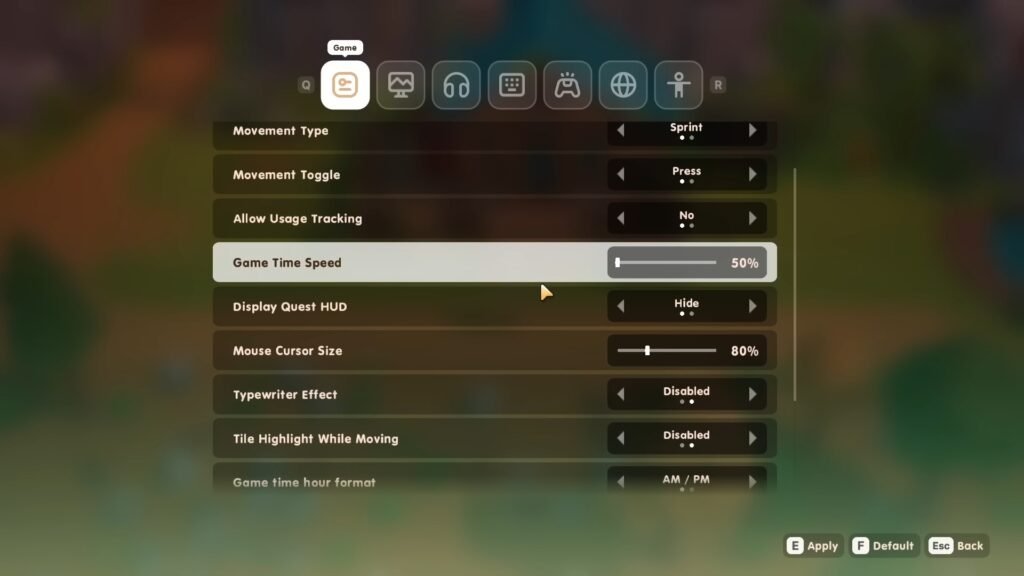
If the days in your game are ending too quickly and you can hardly catch up to speed with the plethora of tasks in your way, this Coral Island trick is super useful. Just go to settings and reduce the game speed from 100% to 70 or 60% so that time ticks slowly.
This setting is also useful if you’re stuck in the Mines late at night and are unable to go home in time before passing out. Slowing down the speed gives you a few extra minutes to go quickly back home and sell your stuff before the day officially comes to an end.
Tip 7: Don’t Sell Your Farm Resources Early
Your farm in Coral Island will be filled with wooden logs, rocks, grass, trash, and many more resources. But do not make the rookie mistake of selling these items immediately after collecting them. These resources are essential for crafting and major upgrades in the game.
You will need rocks and wood in almost every farm building, whereas trash and grass can be super important after you have upgraded your farm. Keep these items stored in your chests and sell things like forageables and stuff you find from the beach. (Don’t forget to keep one of each for quests!).
Tip 8: Save Up For Backpack Upgrade
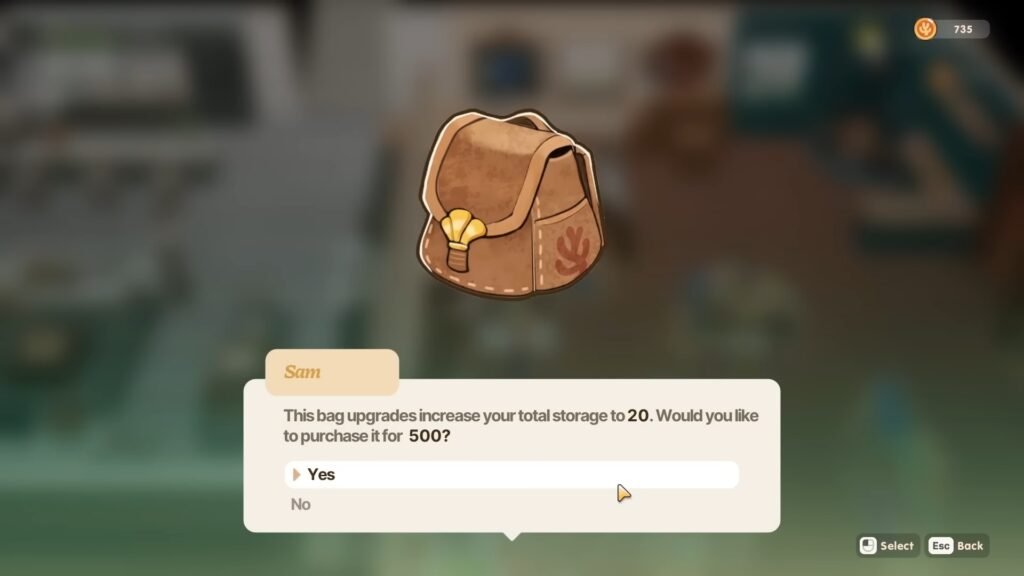
If you’re just starting out in the game, this is one of the most crucial Coral Island beginner tips to remember.
When you start your playthrough, you will have a not-so-spacious backpack, making it impossible to hoard stuff. You need to save up enough money to buy a backpack upgrade from the General Store (500 Coins) to increase your inventory slots.
You can upgrade the backpack up to a total of three times, giving you 40 slots in total. You can also press Q and E to switch between your tool belt and slots to use items quickly, which is impossible before upgrading.
The Shipping Bin can act as a temporary storage if you do not have the space to pick up items. Just make sure to take everything out before the end of the day so that they don’t get sold in the market.
Also Read: How To Unlock All Fast Travel Waypoints In Coral Island
Tip 9: Spend Skill Points Wisely
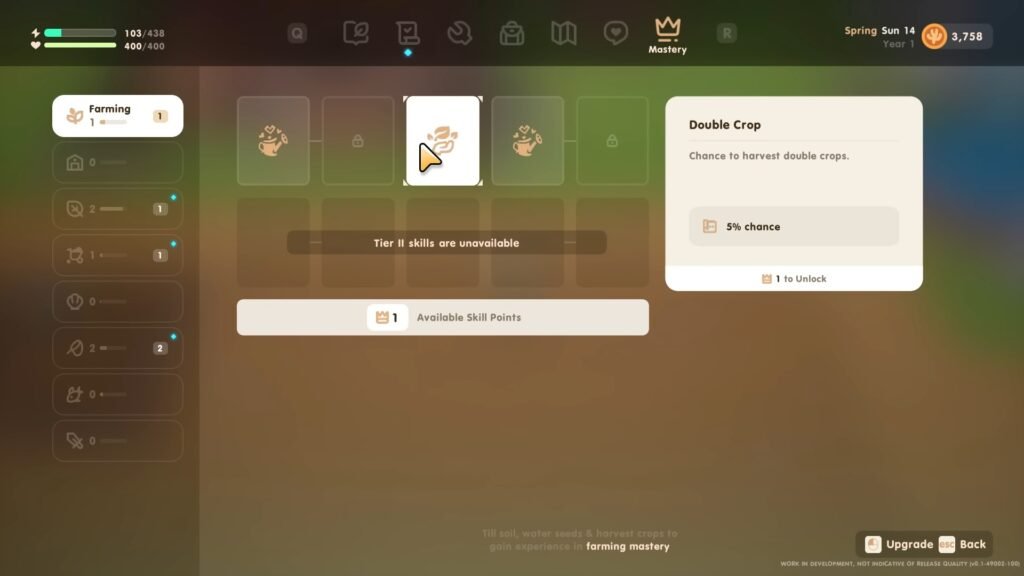
By doing any farm activities in Coral Island, like farming, harvesting, mining, etc., you will earn experience which turns into Skill points that you can spend on any card of a specific branch in the game. One of the best and earliest ones you can spend is a mining trait called Rock Domino, where when mining a certain rock, there is a 10% chance of its adjacent rock also being mined.
Skills improve your Coral Island gaming skills immensely and give you much-needed perks to being the best farmer in Starlet Town.
Tip 10: Coconut Drinks For Gifts
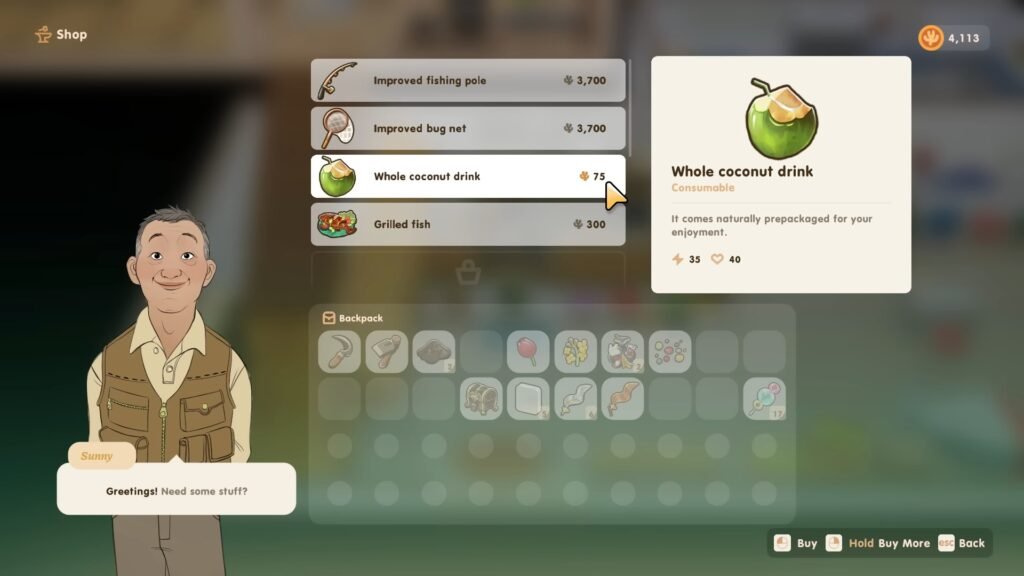
Coral Island NPCs have different likes and dislikes when it comes to gifts. But there is one certain food item that is well-liked by almost every NPC, and that is the Coconut Drink. Bought from the stores at 75 coins or self-prepared if your house has an upgraded kitchen in the game, this gift item can surely increase your chosen NPC’s affection towards you.
Just run around the beach area during Spring and Summer and kick the Coconut Trees for a chance to get a Coconut. They can also act as great energizers for your depleting energy.
Tip 11: Combat Mode For Monsters In The Mines
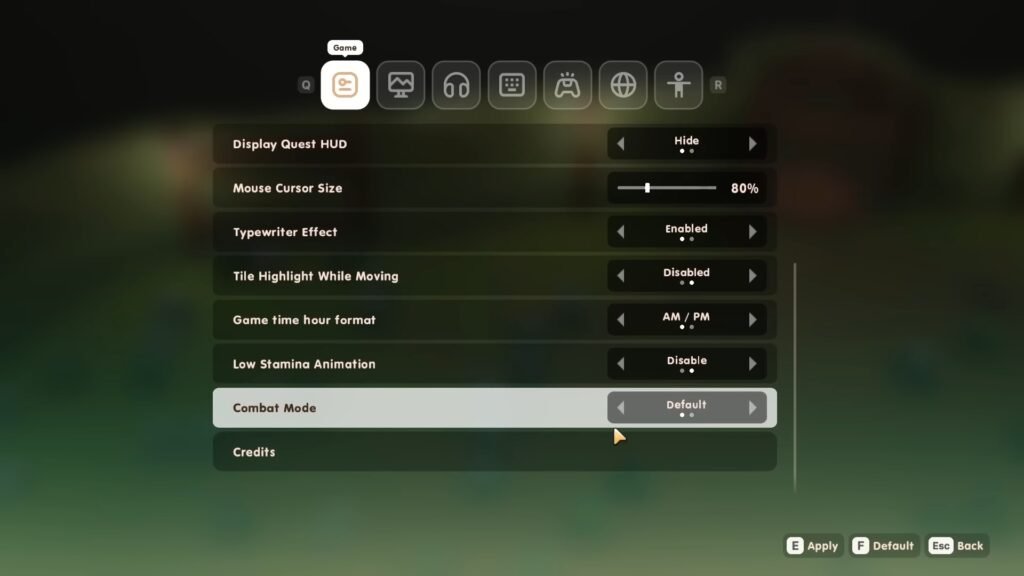
There is a setting in the game called Combat Mode. When switched, it either enables the monsters in the Mines to aggro on sight or stay calm and not bother you till you decide to land the first blow.
This is great for players who love a more peaceful gameplay and do not want any interruption to their cozy vibes. You can always toggle between the two when you’re up for a little combat.
Tip 12: Harvest Crops
In Coral Island, you can right-click to check what crops are planted and how many days are left before the crops are harvestable. Once they are done growing, you can harvest crops with your scythe to do a bunch at one time. Keep in mind that this will deplete your energy but save you the mundane task of handpicking each one of them.
But if you wish to save every bit of energy you can, just pick them one by one and keep your energy intact for more important things to tend to on your gorgeous farm.
Tip 13: Upgrade Your House
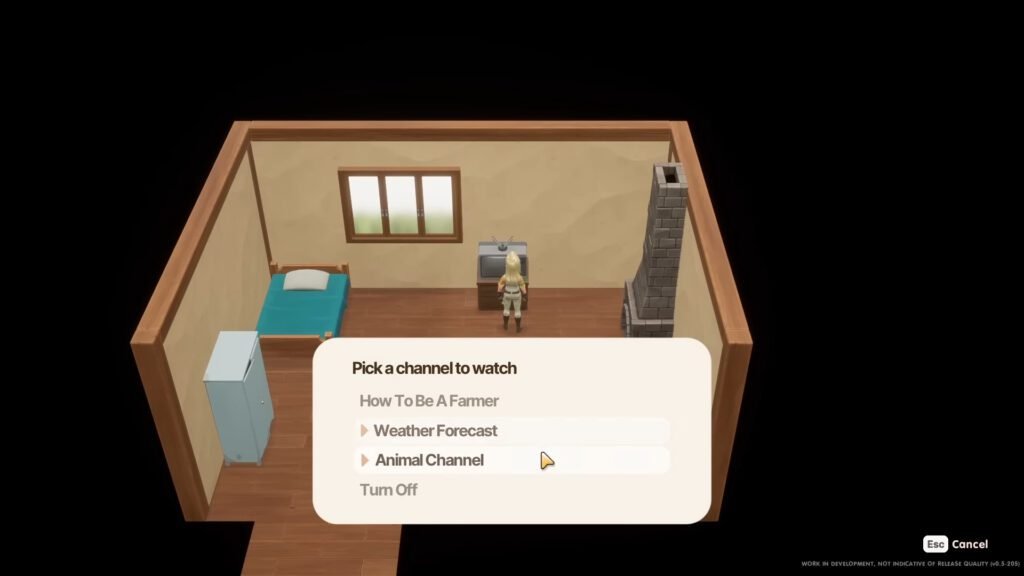
This is one of the most crucial Coral Island beginner tips, so pay attention. Upgrade your house almost immediately after you start your first playthrough.
Upgrading gives you a bed, TV, and access to daily broadcasts about the weather the next day. With your weather already predicted, you can plan whether to water your crops or not and save that bit of energy for other tasks that need to be done. You can also use the tv to predict your luck for the next day, which can be crucial when searching for special items in the game.
The first house upgrade will cost you 50 wood logs and 20 rocks. Just talk to the Carpenter about the upgrade and your job is done.
Tip 14: Sell Forageables From Farm, Forest, And Beach
When you first start your little farm in Coral Island’s Starlet Town, you will probably have very little money to spend on items in the game. Run around the town and gather every foraging item you can find on the farm, forest, and beach. Sell them in the Shipping Bin to rack up the coins quickly.
Just make sure to keep one or two of each item for quests and contributions to the Goddess, so that you don’t have to waste time searching for them later.
Tip 15: Locate NPCs Using Tab
I’m sure we have all experienced the pain of locating that one NPC required for a certain task in the game but cannot seem to find it anywhere. To locate them, go to your Relations tab in the menu, click on the particular person you are looking for, and press Tab to show their location on the map!
This is very useful when you are taking community requests from the board and have to find them in Starlet Town.
Those are all the essential beginner tips for Coral Island. Next, check out our guide on how to romance in Coral Island and live a happy farm life in the game.
