





Hell Let Loose Vietnam features a vast selection of maps, with jungle warfare at the heart of all of them. With so much action happening on-screen, achieving a high frame rate on PC can be tricky, especially if you’re running outdated hardware. Thanks to Unreal Engine 5, the first-person shooter looks amazing, but it’s important to strike a balance between performance and looks. With a few simple adjustments, this guide contains everything there is to know about how to improve FPS without compromising on visuals.
Hell Let Loose Vietnam Max FPS Settings
Before adjusting various video and gameplay settings to increase frame rate in Hell Let Loose Vietnam, I recommend taking notes of your existing settings as a baseline to reference. If certain adjustments have minimal impact on increasing FPS, be sure to switch them back.
Without further ado, here are the best settings to select in order to reach maximum FPS on PC:
Gameplay
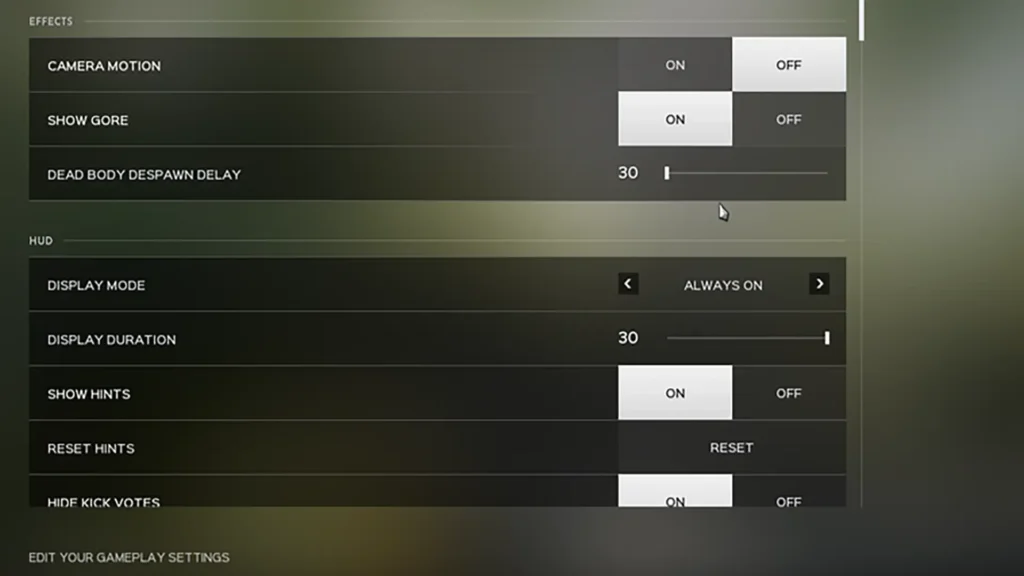
- Field of View: 100
- Field of View in ADS: 72
- Camera Motion: Off
- Team View Distance: 250
- Unit View Distance: 250
- Vehicle View Distance: 250
- Team Nameplate Occlusion: Off
- Unit Nameplate Occlusion: Off
A field of view of 100 offers a great view of the surrounding area without creating a fisheye effect on your monitor. Combined with high view distances, it’s very easy to see what’s happening on the battlefield.
Video
- Window Mode: Fullscreen Windowed
- Vertical Sync: Off
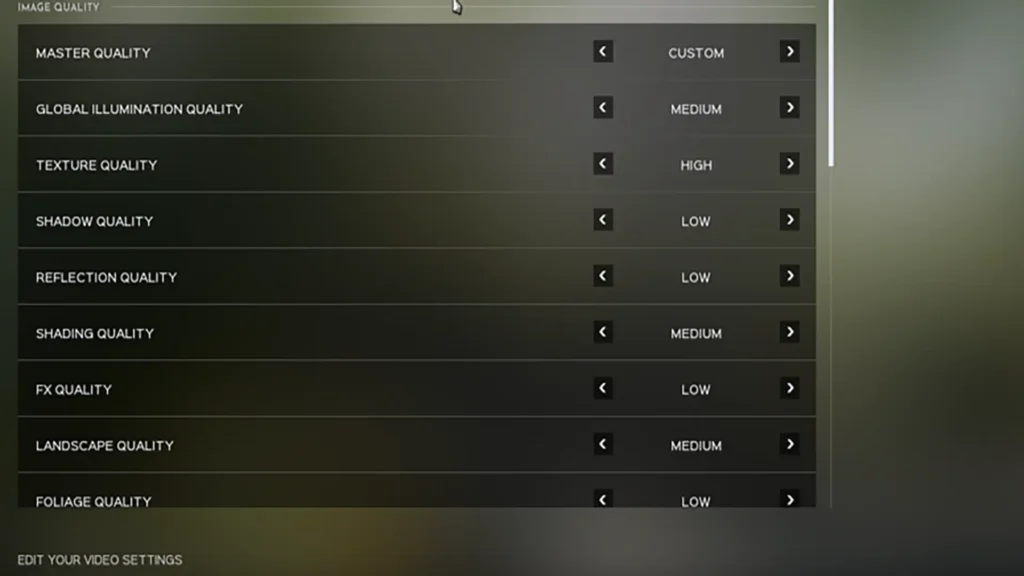
- Global Illumination Quality: Medium
- Texture Quality: High
- Shadow Quality: Low
- Reflection Quality: Low
- Shading Quality: Medium
- FX Quality: Low
- Landscape Quality: Medium
- Foliage Quality: Low
- TSR Resolution Scale: 90
- TSR Anti-Aliasing Quality: High
- SSAO: Off
- Motion Blur: Off
- Film Grain: Off
- Post Process Quality: Low
- View Distance: High
- Low Latency: On
- Hardware Lumen: Off
While switching the majority of quality settings to low results in visual fidelity taking a slight hit, the increase in performance makes all the difference when taking on a large group of enemies converging on your position.
The large-scale nature of Hell Let Loose Vietnam means frame rate can drop in the heat of battle. Thankfully, the settings above ensure frame rate stays high in all scenarios.
For even more on what Hell Let Loose Vietnam has in store, be sure to take a look at the full Roles list so you know how each one works and whether it suits your style of play.
