






If you want to change daytime to nighttime in Aniimo, the process is just a few simple clicks away. Unlike other games, where you might have had to wait for the day/night cycle to fully complete, Aniimo lets you skip the waiting time entirely by letting you manually set the time of day. So, if you’re stuck in a quest or just want the right time to click a good photo, then follow the instructions I’ve written below.
How To Change Daytime to Nighttime in Aniimo (and Vice Versa)
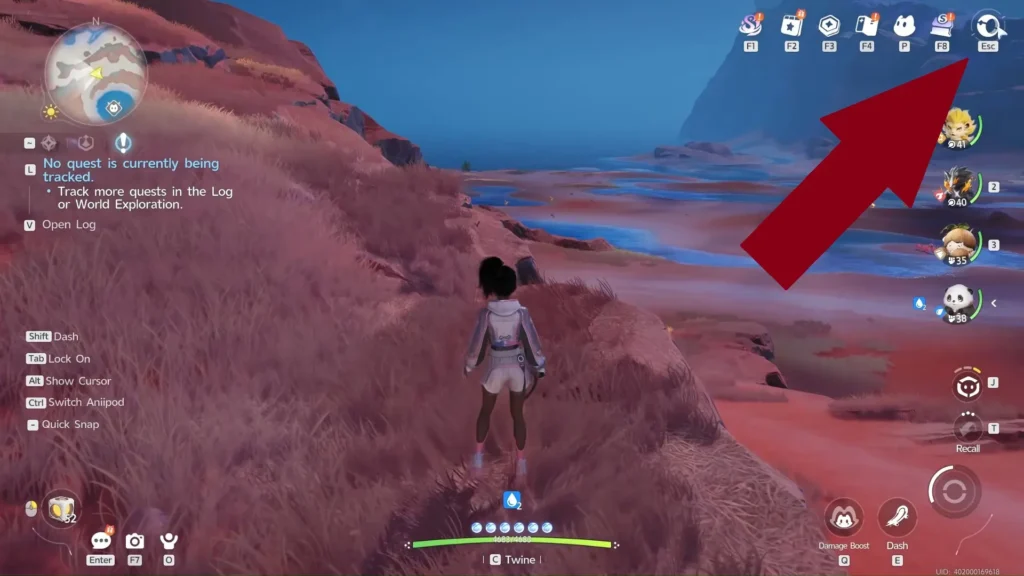
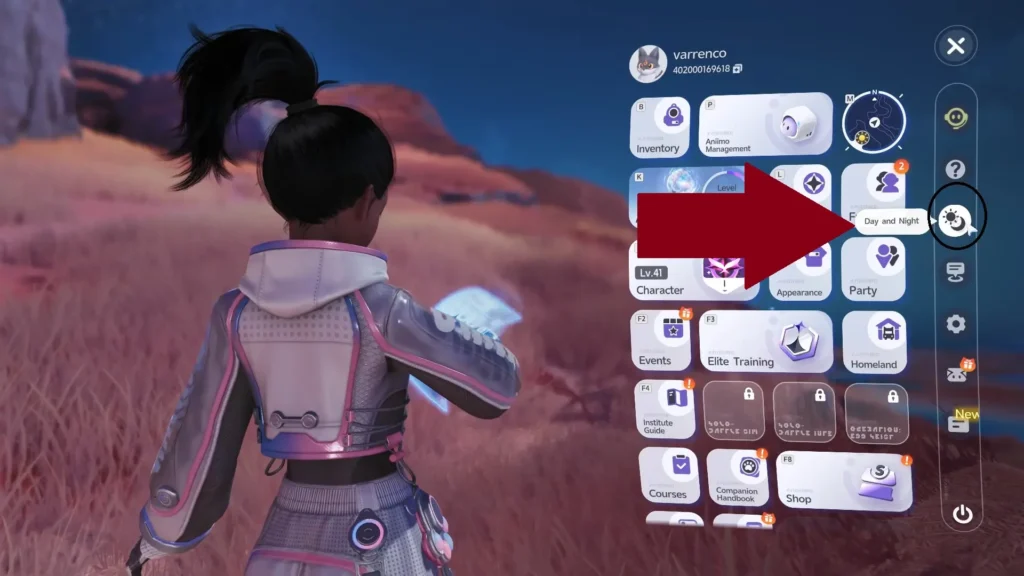
Changing the time of the day in Aniimo is done through the Sun and Moon symbol in the Menu options. Here are the steps you need to follow to change the time of day in Aniimo:
- Open the main menu of the game. This is done by either clicking the button at the top right of the screen or pressing ‘Esc’ on your keyboard.
- On an Xbox controller, the default keybinding for opening this menu should be the ‘Start’ key (unpause icon).*
- Meanwhile, on the PlayStation controller, the same can be opened by pressing the ‘Menu’ key (the three horizontal bars).*
- Once the menu is open, look at the bar on the right side, which will contain a sun and moon symbol. This is the Day and Night button.
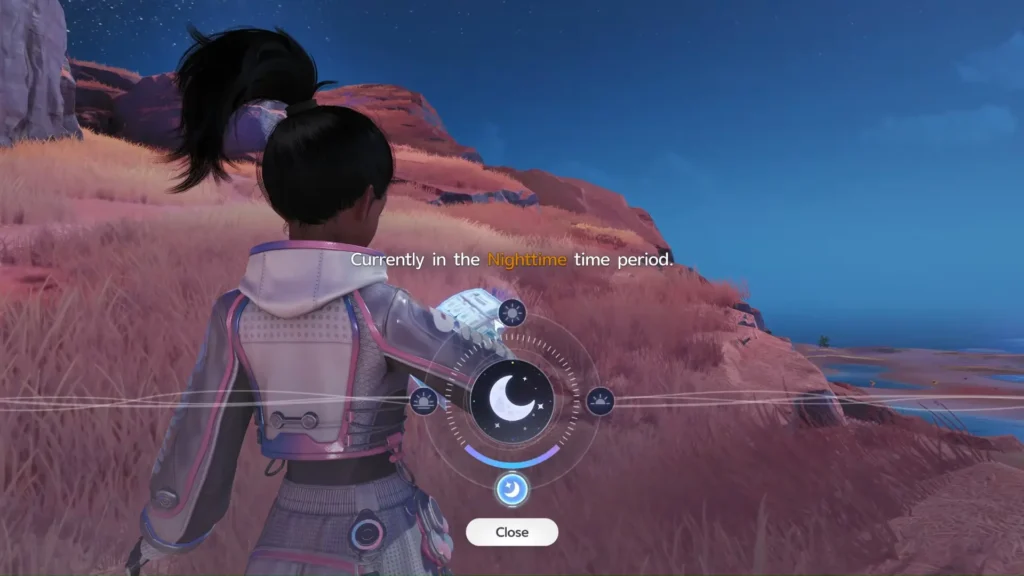
- Click this button, and it will open the time interface, where you can manually set the time to one of four options.
- Night
- Noon
- Dusk
- Dawn
*Controller support for Aniimo does exist, but has been noted to be in the best state right now. If you are using a controller on PC and it does not respond, then consider using your keyboard to open the menu.
Don’t worry about selecting the wrong option accidentally, as the game will ask you to confirm your choice before changing it. Moreover, even if you do get it wrong, you can still change the time again by following the same steps. There is no cooldown preventing you from changing the day or night again and again.
Why Do You Need To Change Time in Aniimo
There are multiple reasons to change the time of day. These include:
- Quests: Certain quests can only be progressed during a certain time (day or night). Set it accordingly to make progress in these cases, like the Lumin Marking Puzzle.
- Aniimo Spawns: Certain creatures only spawn during specific times of day (like Inferlupa). Others even have different forms that only spawn during the night. So, changing the time lets you easily catch these Aniimo, or at least attempt to.
- Photo Mode: Finally, we come to taking photos. Although not the most important reason, it is still a good one to have. The time of day often affects various outdoor pictures through lighting, sun or moon placement, and more. Thus, being able to change the time instantly is a boon.
These were just some of the reasons that you should have to change the time within the game. You do not even need a reason to change the time. You might simply prefer one time zone over another, simply due to its ambience. At the end of the day, the choice is yours on what time to keep.
