



It doesn’t hurt to have an extra pair of hands to help you out in Planet Zoo 2. You can now hire 6 different staff types to help you run your zoo. Each staff member provided to you is qualified in different fields, so you need to pick and choose the ones that are of immediate importance to the welfare of your zoo. Besides just placing staff around your park, you also need to build the right facilities for them and manage them accordingly.
Getting some staff to work for you isn’t as hard as it looks. But if you are struggling to decide what each staff member does and how to get them, this guide will help explain everything there is to know about hiring staff, managing them, and how to provide the required facilities for them in Planet Zoo 2.
All Planet Zoo 2 Staff Explained
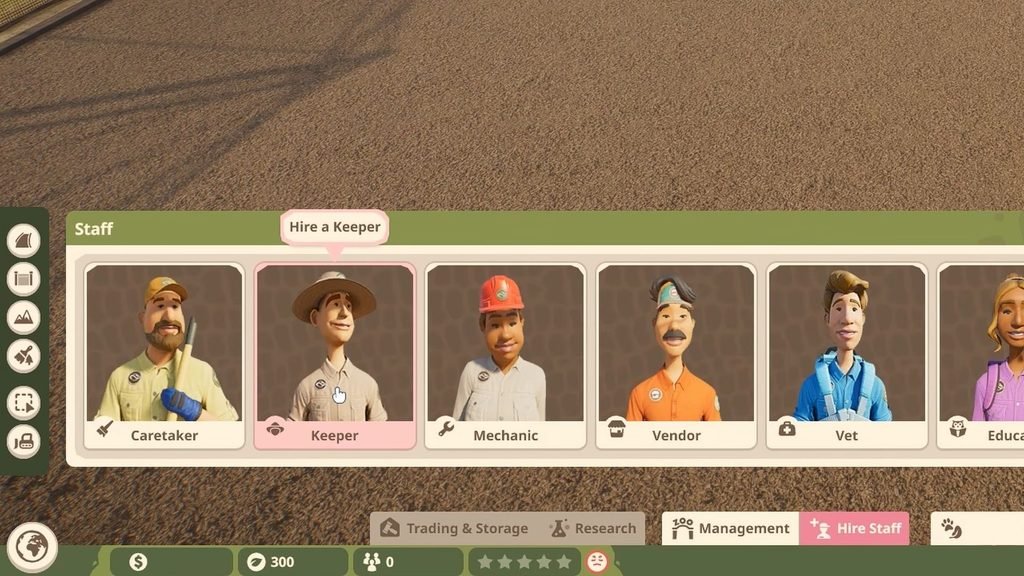
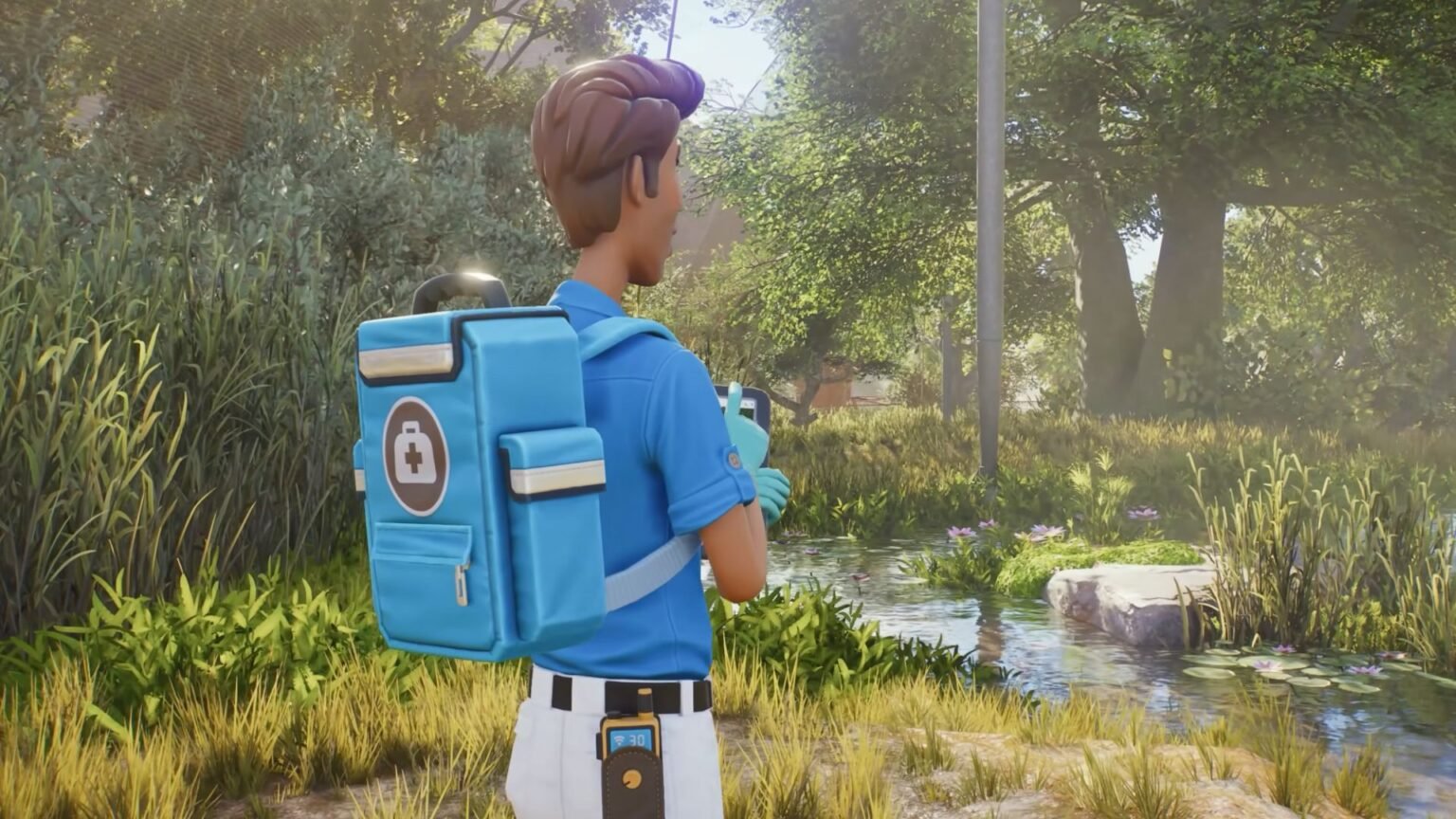
Your zoo can’t run under your vigilance alone, and you need to hire staff to keep things running. You can hire six different staff types that specialise in different areas. Here are all the staff you can hire in Planet Zoo 2 and what they do in the game.
| Staff | Description |
| Caretakers | Manages zoo inventory, takes care of guests, and helps in overall park management. |
| Keeper | Takes care of the animals when assigned to a habitat. |
| Mechanic | Helps fix up your habitats and facilities if there are defects and faults. |
| Vendor | Used in managing your zoo’s stores. |
| Vet | Treats any sick or injured animal and provides research on animal behaviour and likes. |
| Educator | Provides knowledgeable information to guests and offers an enriching experience to all visitors. |
Tip: I recommend prioritizing hiring a vet, keeper, and a caretaker first if you are tight on budget, then go for the other staff members later on.
Also Read: How to Add Fish to Habitats in Planet Zoo 2
Building Staff Facilities
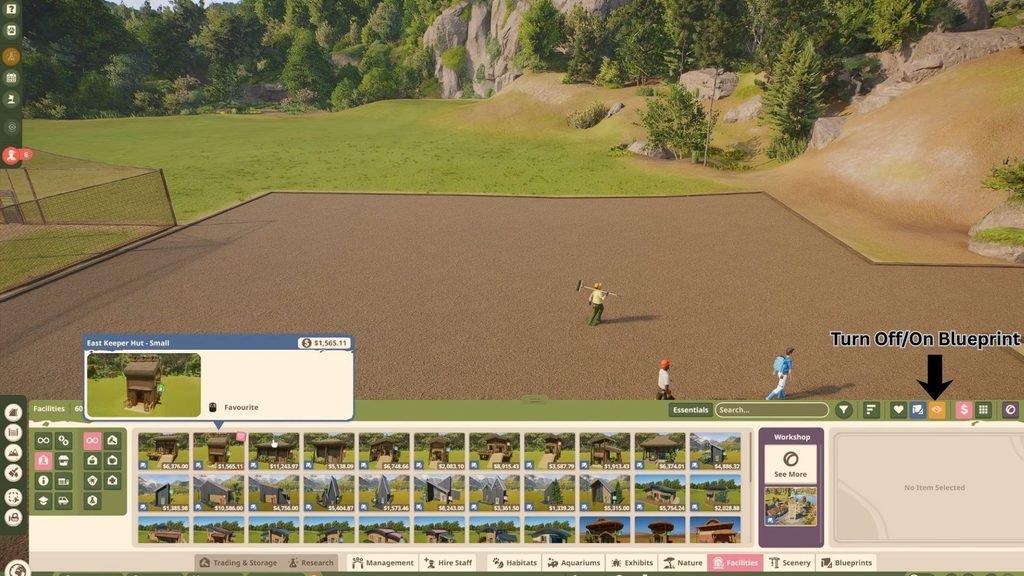
Each staff member will require their designated workstations, so they have a place to gear up for the day. You can head over to the Facilities tab at the bottom of the screen and select the Staff icon on the left of the Facilities menu. You can hover your cursor over each blueprint to see what it is used for.
Like most items in the game, you need to set aside some cash to purchase the required structure. If you wish to build from scratch, you can disable the blueprint option by clicking on the blueprint icon in the top right corner of the Facilities menu.
Staff will require their own specialized paths to get to and from the facility building and their workstations. Head over to the Paths menu by clicking on the Path icon on the left side of the screen. Toggle to the Staff Path on top of the menu, then select your path customizations. You are now ready to place a designated walking area that will be used only by the hired staff in your zoo.
How to Manage Staff
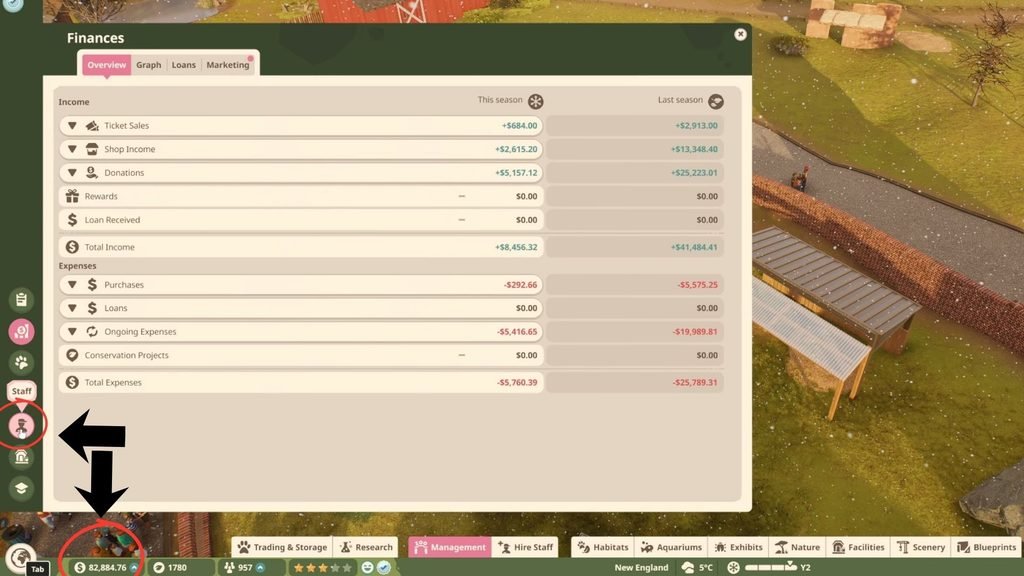
After putting down a few staff, you can manage them by selecting the Finance tab at the bottom left corner of the screen. Select the icon that shows your estimated earnings to bring up the finance menu. If you scroll down this menu towards Expenses > Ongoing Expenses, you will find how much money you are spending on your staff in total.
On the left side of the menu, you will find the icon for Staff. This will give you an overview of all your working staff currently hired by you. Over here, you can train them further by clicking on the Star icon next to their name, but training will cost you money. On the plus side, this will help them perform better at their jobs.
You can also click on the icons on the far-right side of the staff’s name to fire them or add extra habitats under their care. At the top of the Staff menu is where you can find all your built staff rooms and work zones, as well as who is assigned to them. This is a great way to manage all your on-duty staff and make changes wherever required in Planet Zoo 2.
