



The Aniimo account linking process is somewhat simple, but ignoring it can lead to grave consequences with no return. Once you link your Aniimo account, everything you have in your old or previous account can get accessed on other platforms. If you do have some precious items on your Aniimo account, then you will be better off using the same account than starting from scratch.
In this guide, I will show you how to link your Aniimo account and what exactly not to do to break the process. Do note that breaking the linking process will prevent you from using your Aniimo account, and you will be left with no choice but to start all over again.
Linking Your Aniimo Account
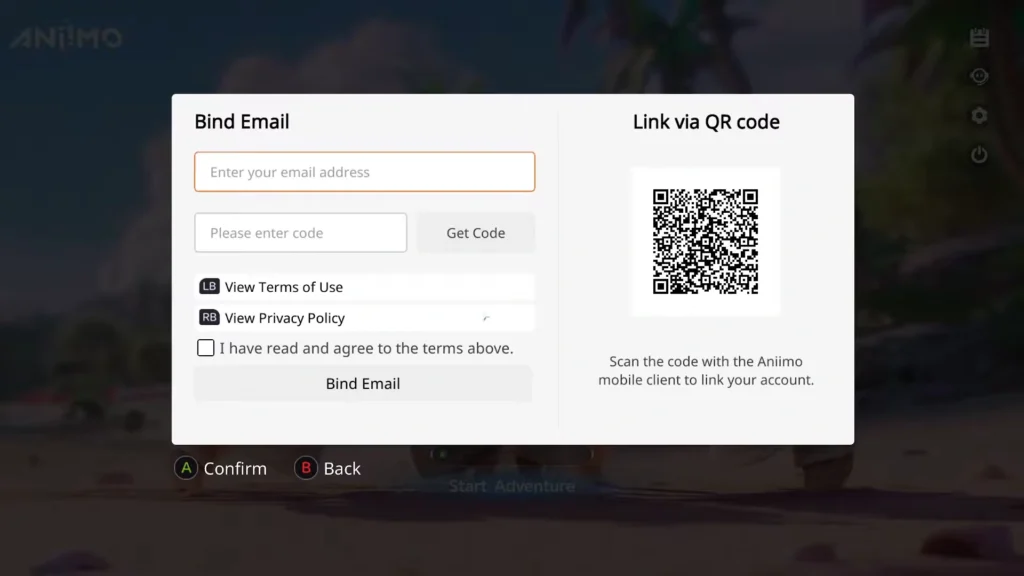
You must bind your email address to allow the game to run the same account on different platforms; the list includes Steam, PS, Xbox, and lastly, the Aniimo launcher.
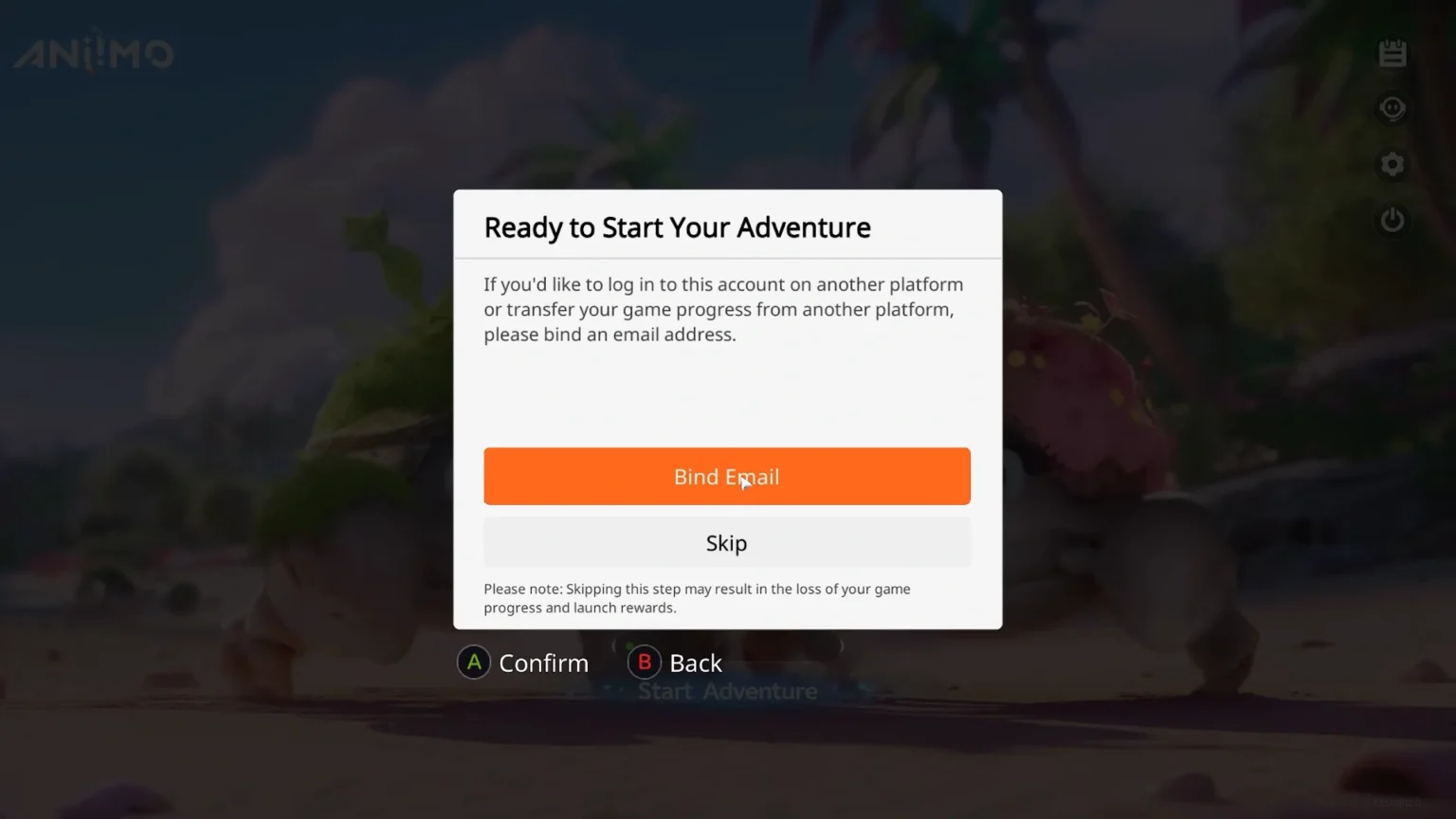
It doesn’t matter what kind of platform you decide to play the game on; when you launch Aniimo for the very first time on any of the platforms, you will get the option: “Ready to Start your Adventure” with the options “Bind Email” and “Skip.”
Important Note: This pop-up “Ready to Start your Adventure” only appears once. If you are planning to link the account, don’t use Skip, or you will lose the right to link your Aniimo account for the platform permanently. The game will create a fresh new Aniimo account for the platform; and you will have to start from scratch, right down to selecting Lunara or Helion.
Since we are planning to link accounts, use the email address that you used before to launch Aniimo. You will get a 6-digit code in your email. Copy the code and paste it into the Get Code box on the Bind Email page, and voila, the account is connected to the platform.
Note: Here you also have the option to link via QR code; use your Aniimo mobile client to scan the code next to the email address panel to link your account.
Aniimo cross-platform does allow for multiplayer sessions, and you can cross-progress between platforms, as they use the same server. Currently, as of writing, we have Aniimo-America/ Aniimo-Europe/ and Aniimo-APAC. Important to note: if both players are on the same server and account, progression in the game will be shared across other platforms with the Aniimo email address. If the account is on a different server, the progression will also be separate.
