


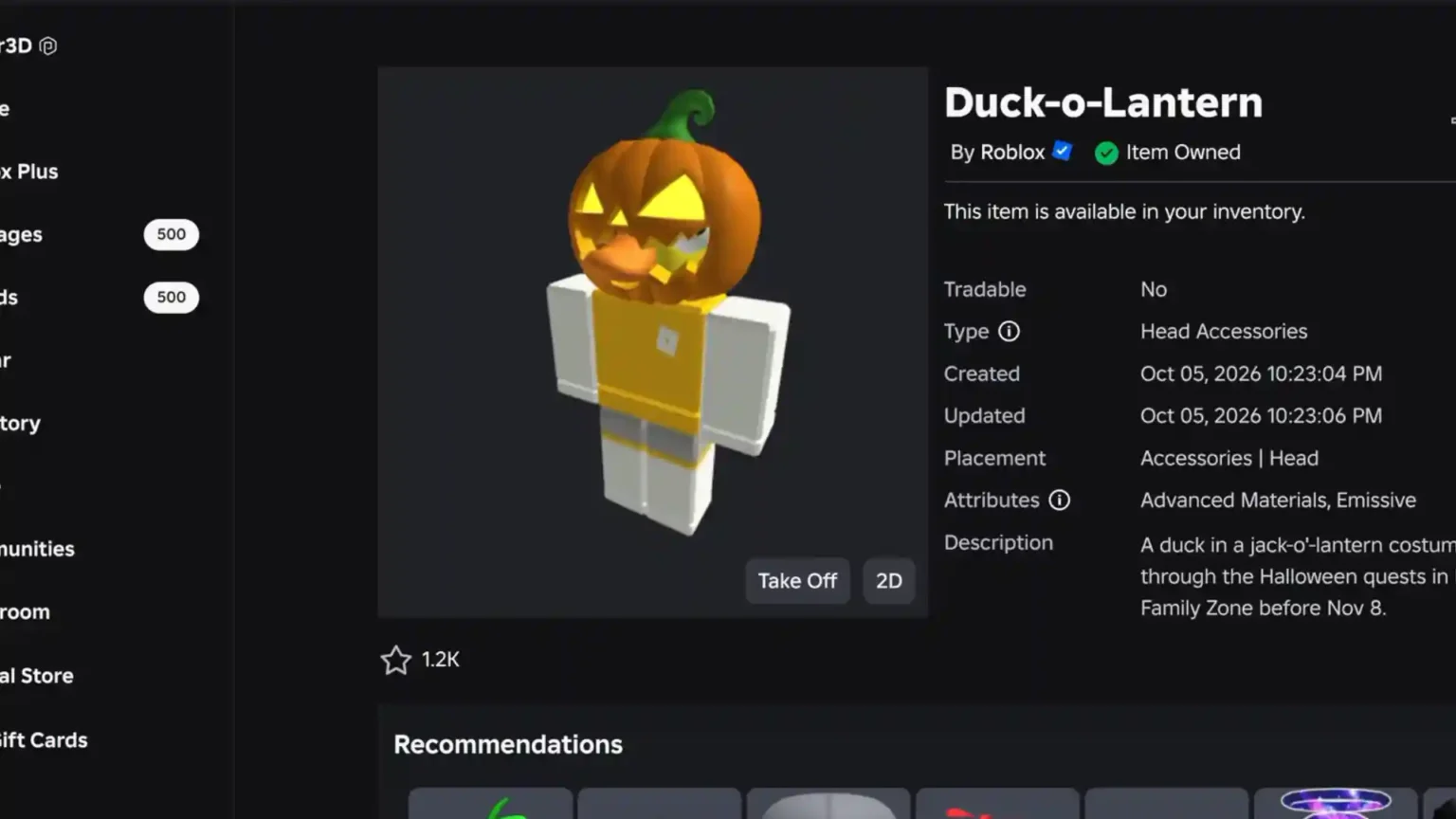

Getting the free Duck-o-Lantern hat from the current Halloween event in Duck Duck & Family Zone can be a bit of a grind. That said, it is a solid little accessory. To get your hands on the glowing jack-o’-lantern with a duck beak sticking out, you have to go through a series of tasks. Roblox made this one themselves, and it is completely free. You can claim it until November 8, 2026.
In this guide, I will show you how you can get the Duck-o-Lantern.
How to Get the Duck-o-Lantern in Duck Duck & Family Zone at a Glance
To get your hands on the Duck-o-Lantern, you must complete a short set of Halloween quests across two games. These include:
- Finding 25 ducks in Family Zone.
- Playing for 30 minutes and finishing 10 rounds in Duck Duck.
Once these tasks are done, you can claim the item back in Family Zone.
Step-by-Step Guide For Both Tasks in Duck Duck & Family Zone (Roblox)
Start in the Family Zone
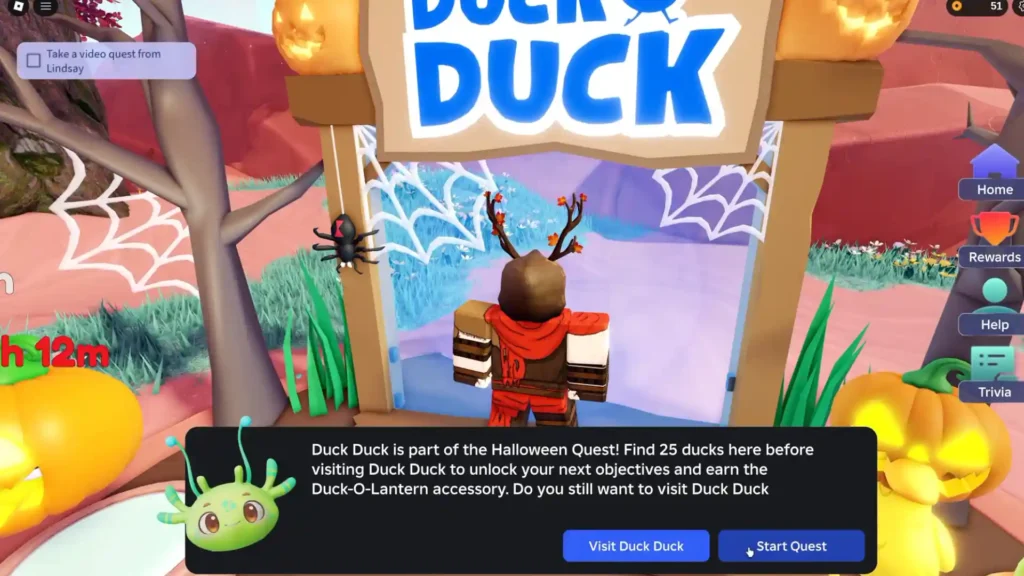
Join the Family Zone and look for the Halloween Quest NPC or the event board that tracks your progress.
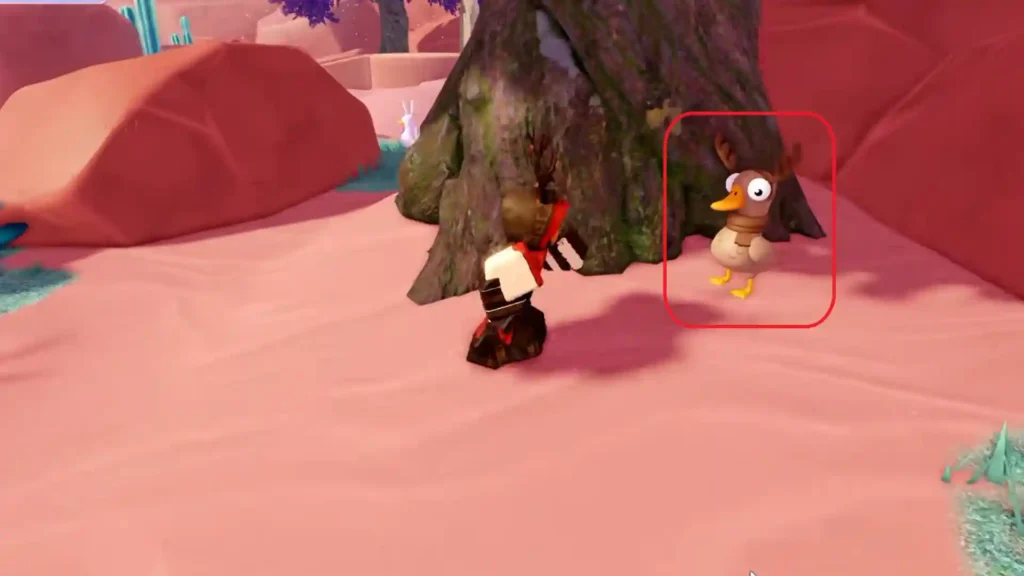
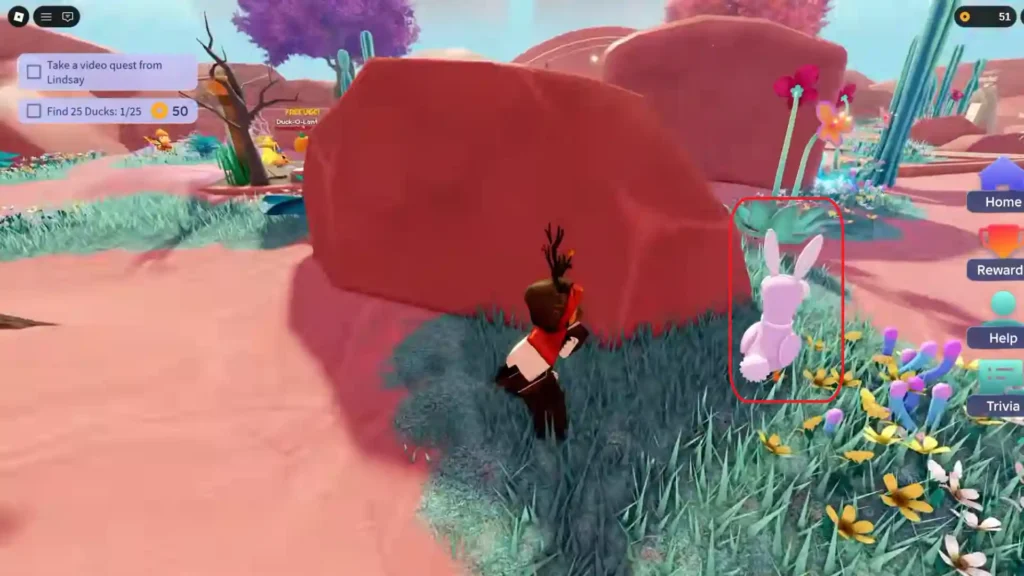
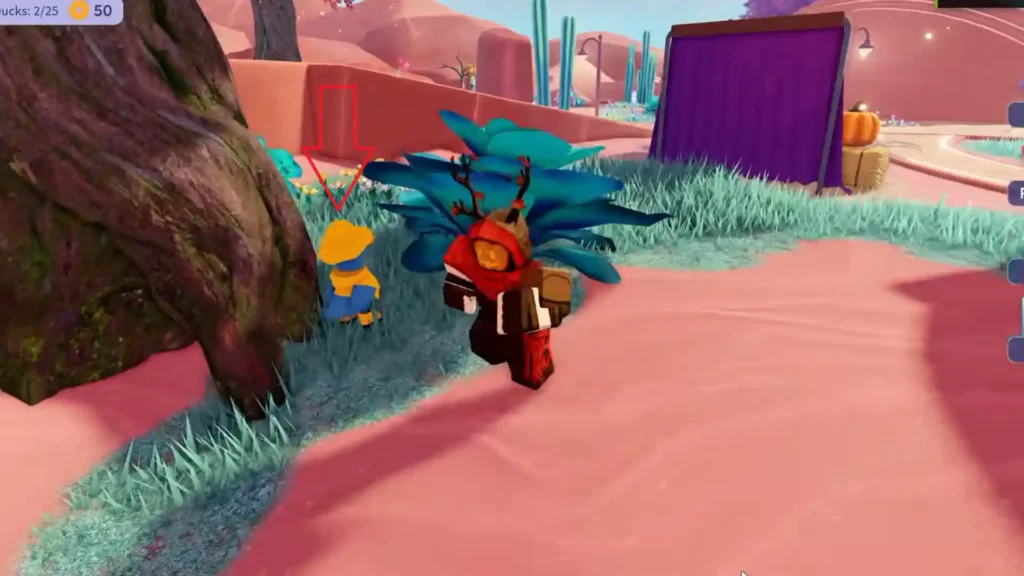
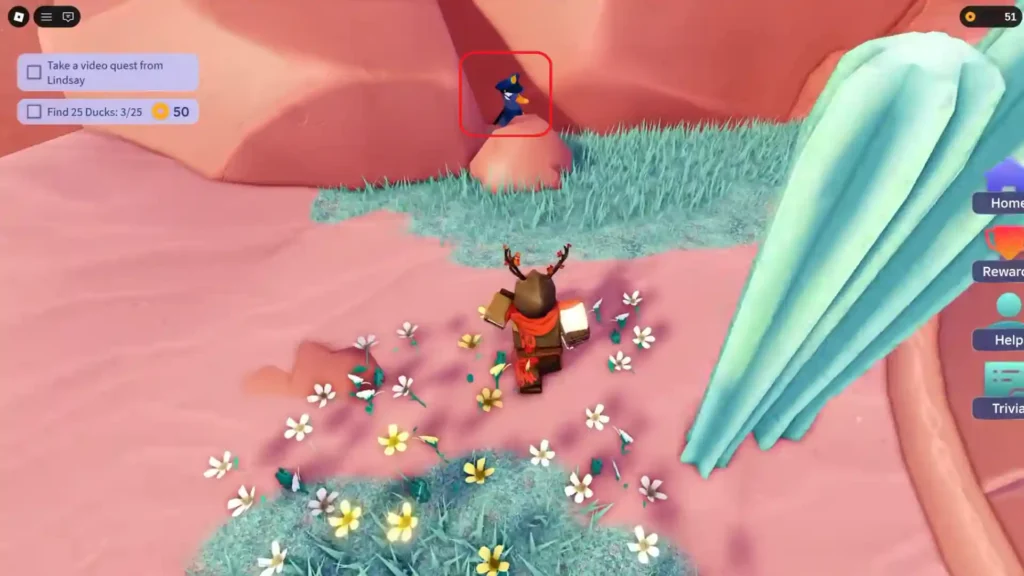
Your first objective here is to find 25 ducks that are hidden across the map. These ducks are scattered throughout the area. You may have to check around buildings, near water bodies, on higher platforms, or and in less obvious corners. Here are the locations of each duck:
Duck 1 Location
Duck 2 Location
Duck 3 Location
Duck 4 Location
Duck 5 Location
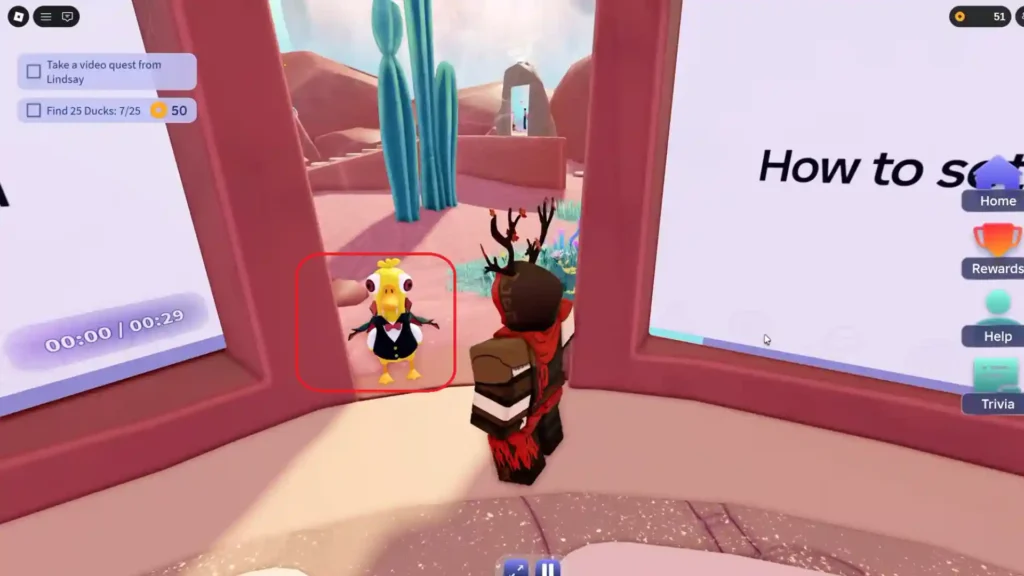
Ducks 6 and 7 Locations
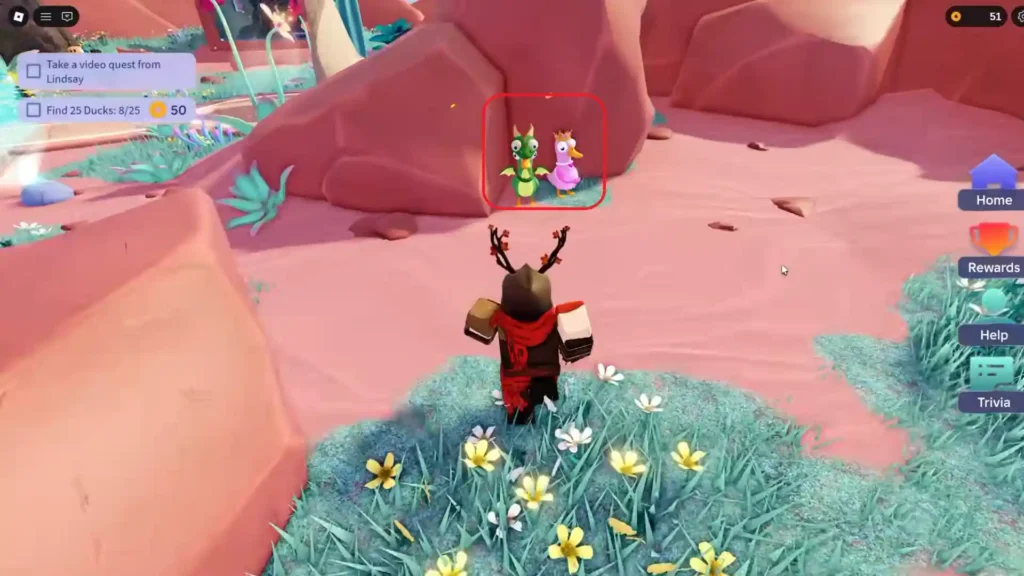
Duck 8 Location
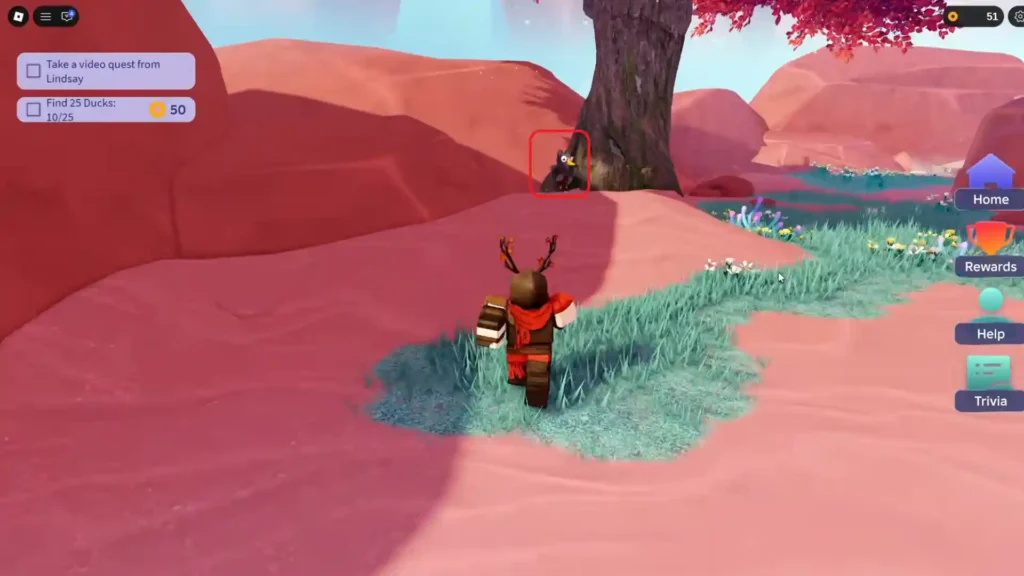
Duck 9 Location
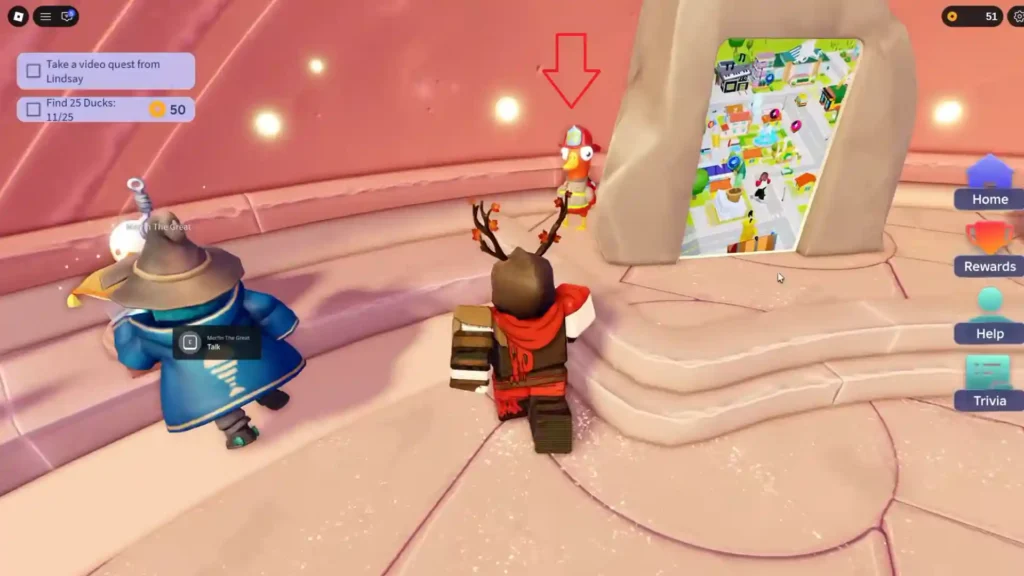
Ducks 10 and 11 Locations
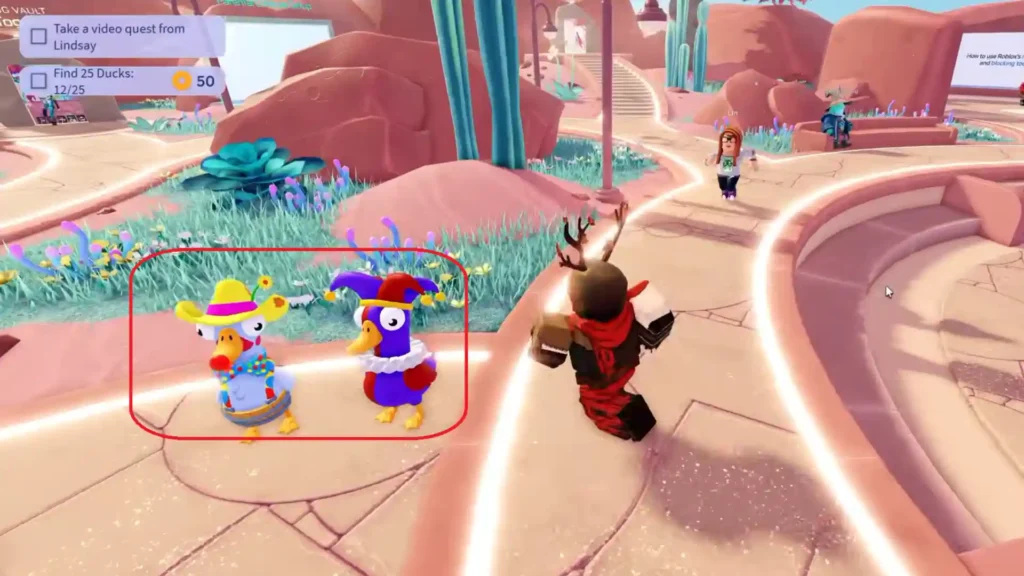
Duck 12 Location
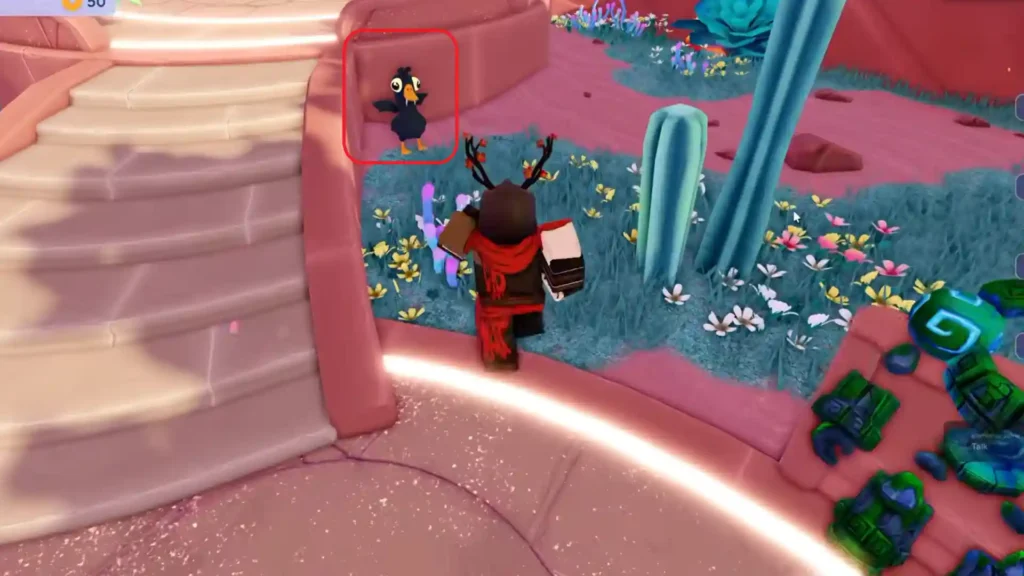
Duck 13 Location
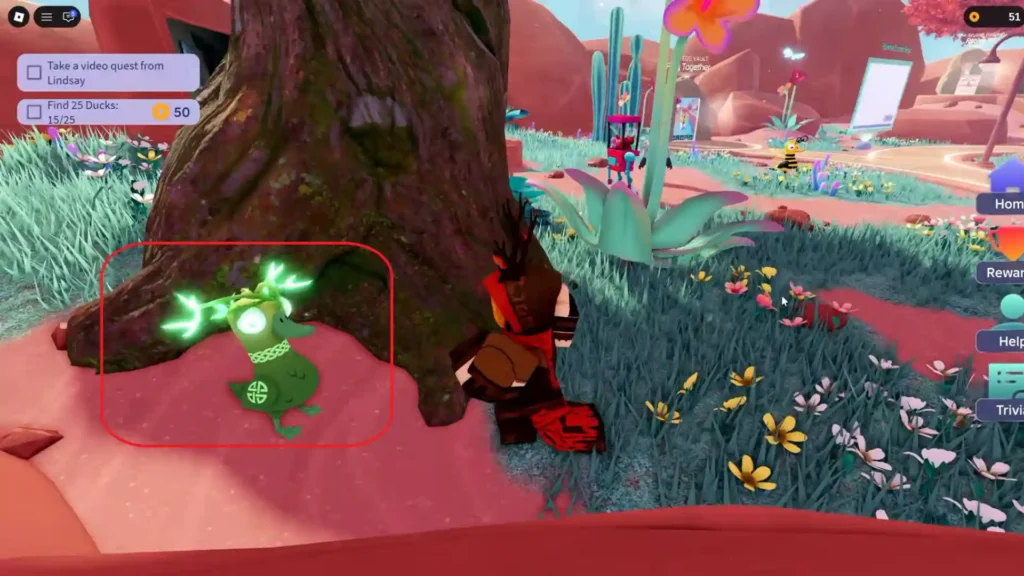
Duck 14 Location
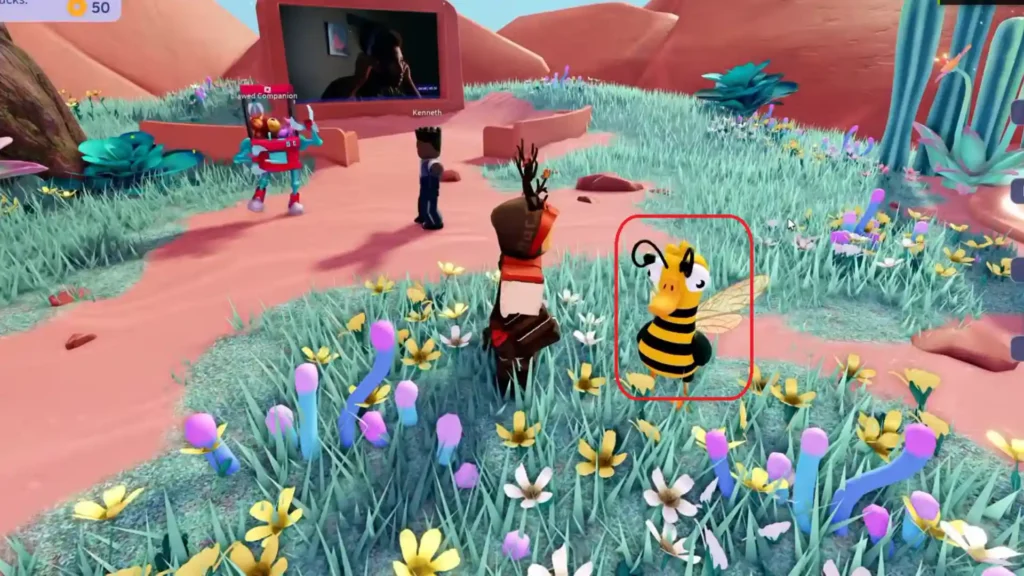
Duck 15 Location
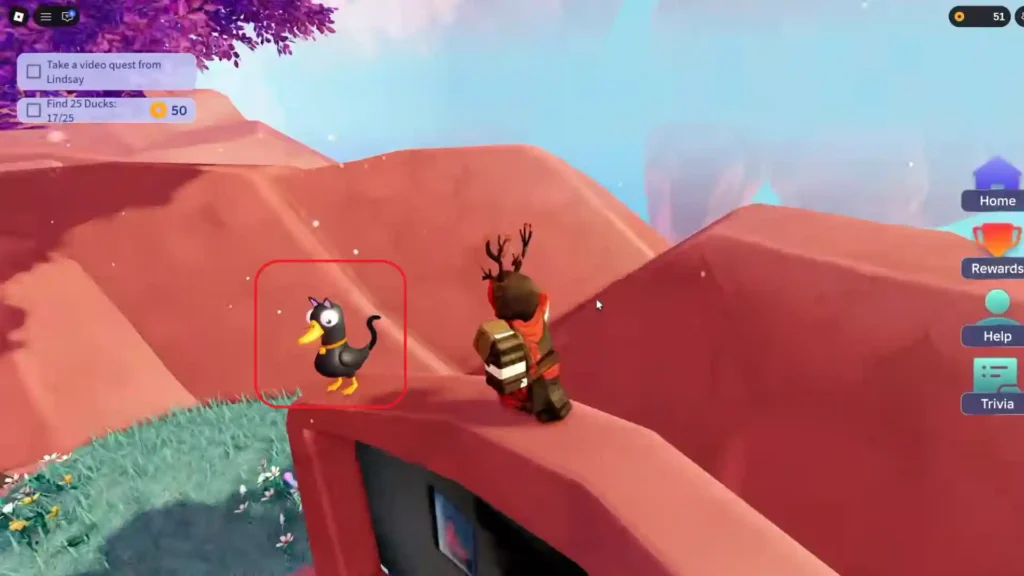
Duck 16 Location
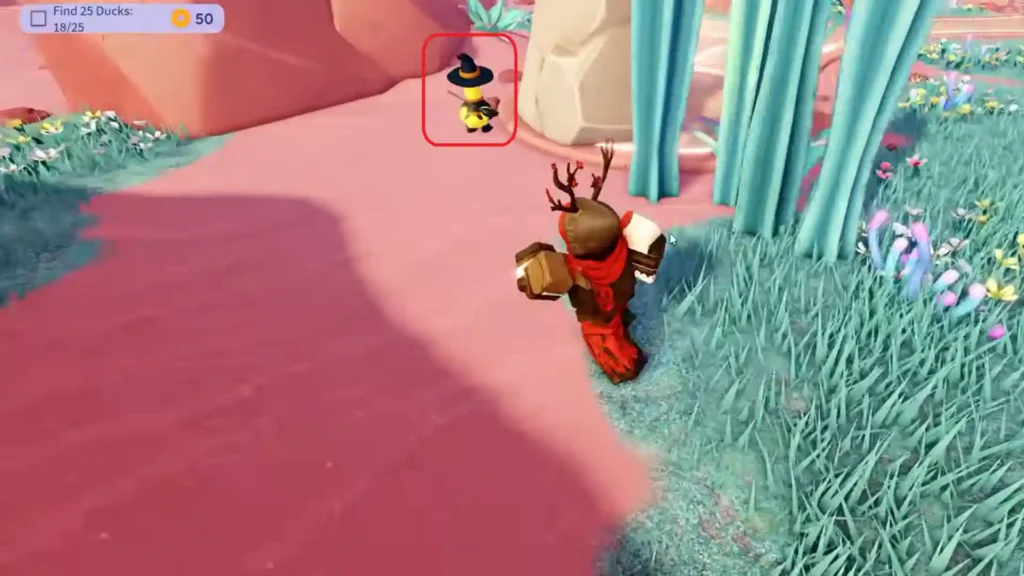
Duck 17 Location
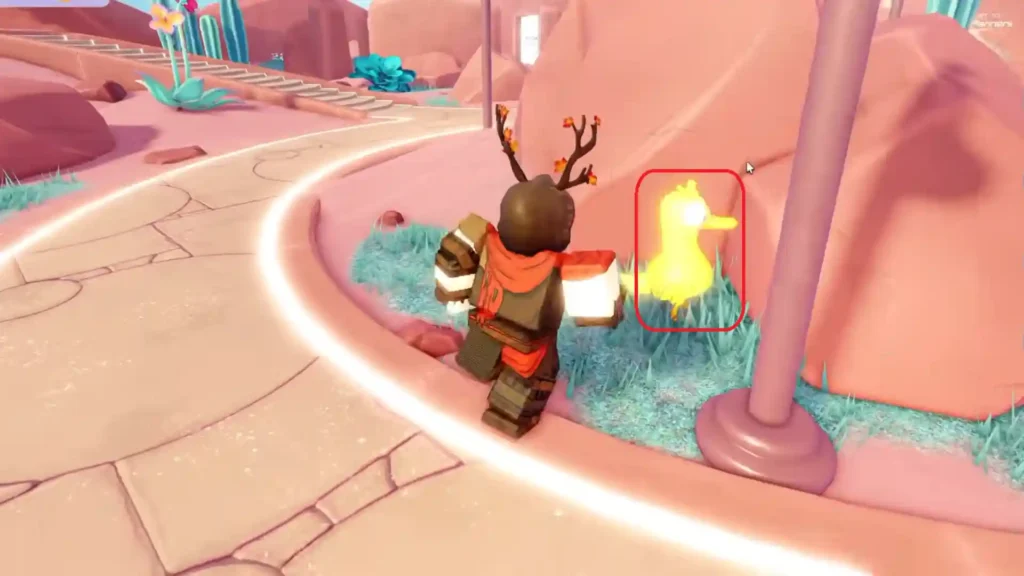
Duck 18 Location
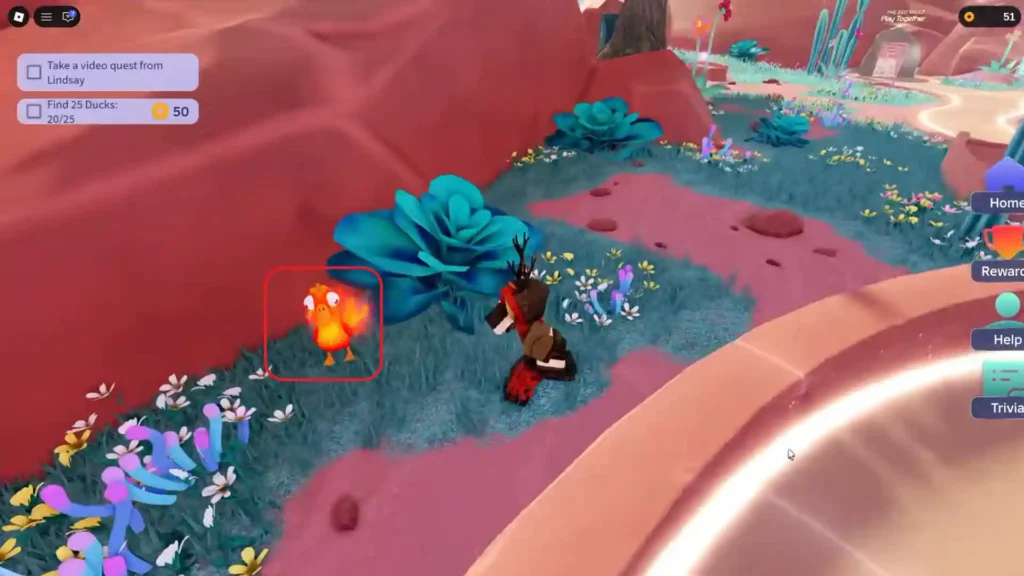
Duck 19 Location
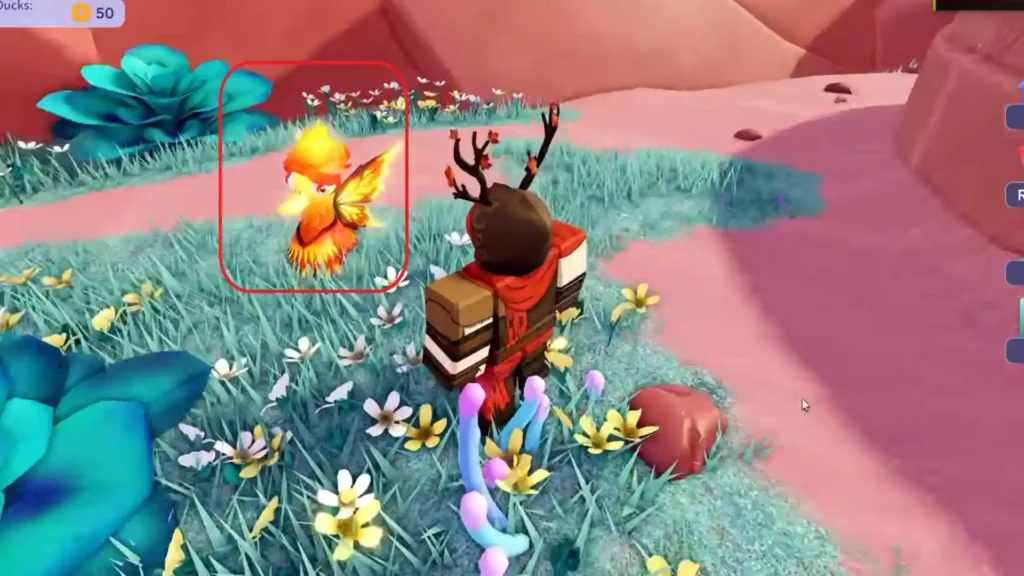
Duck 20 Location
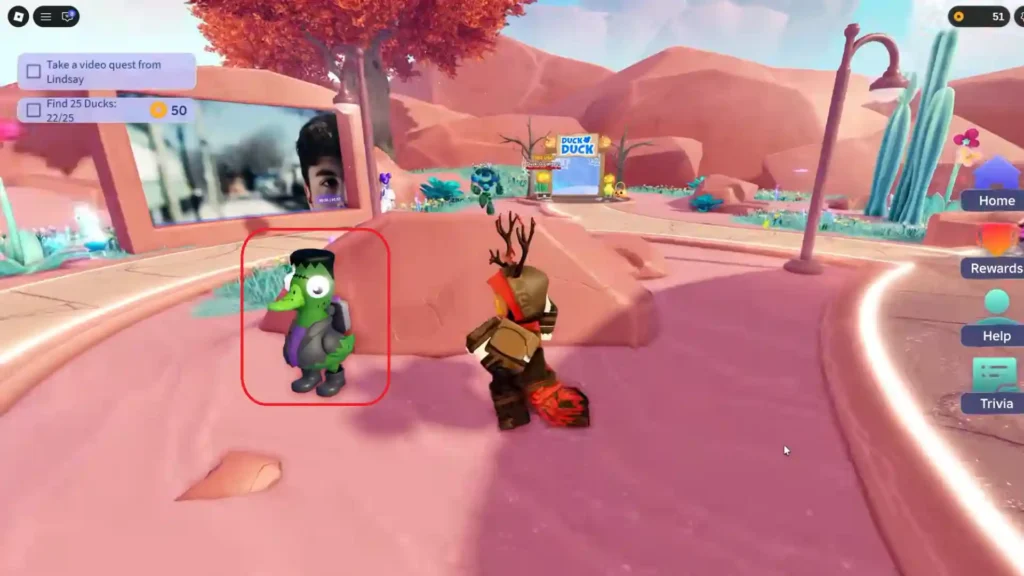
Duck 21 Location
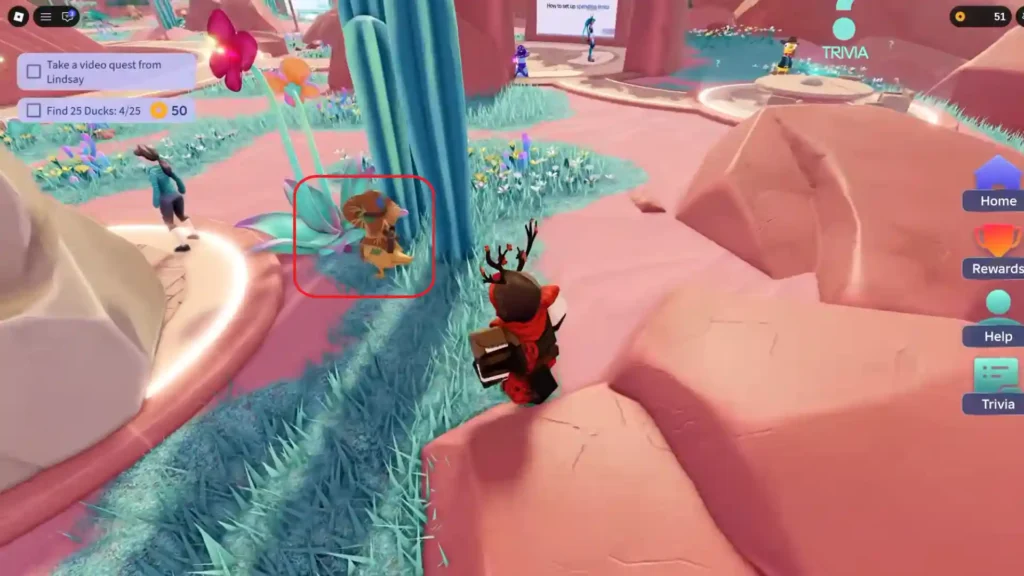
Duck 22 Location
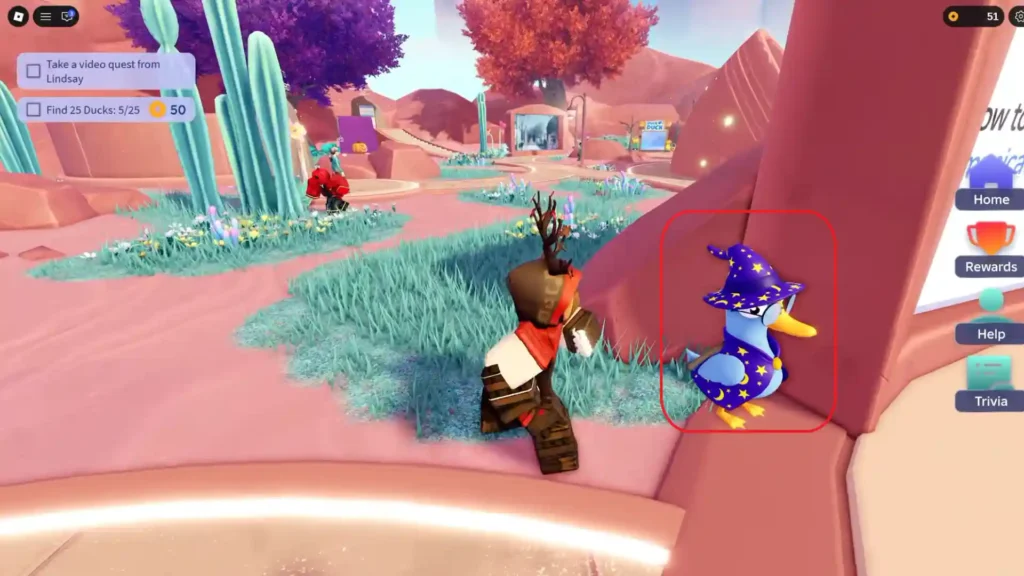
Duck 23 Location
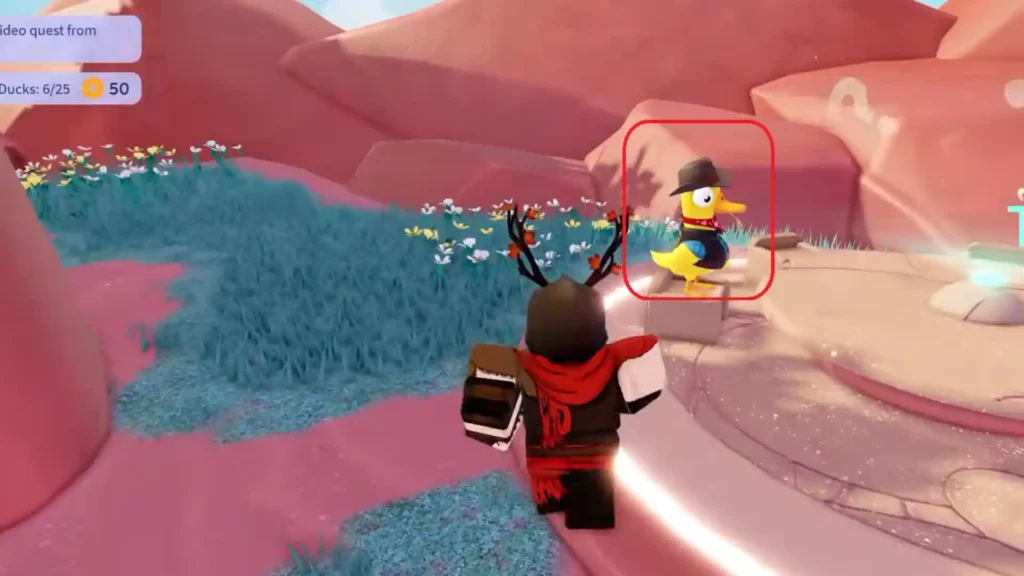
Duck 24 Location
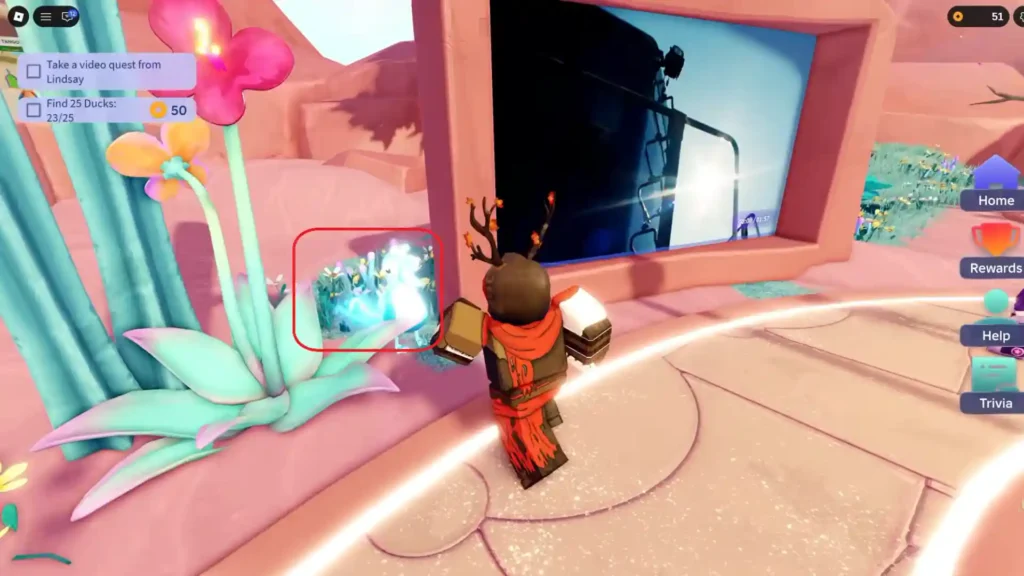
Duck 25 Location
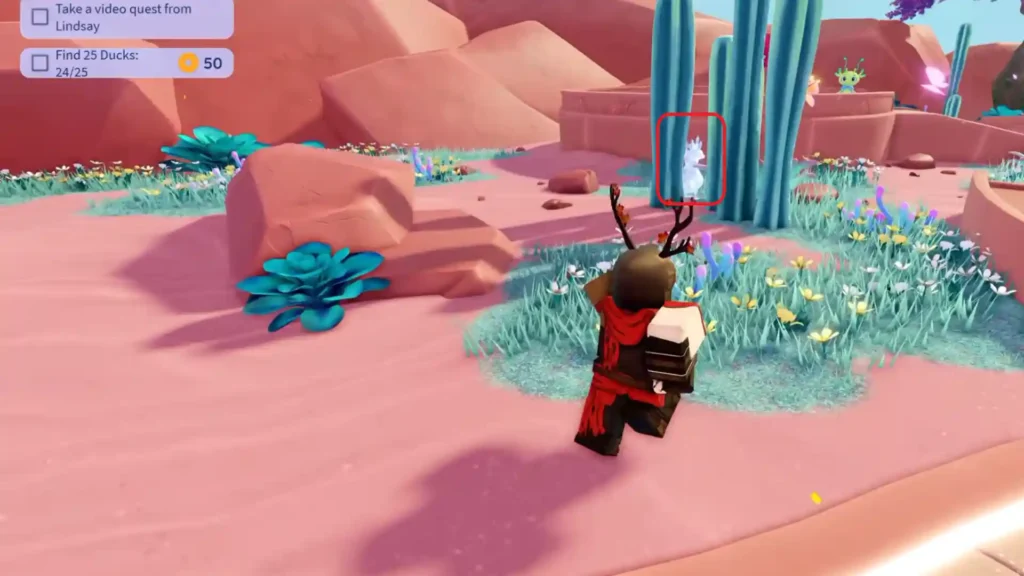
The quest tracker will update as soon as you collect all of the ducks.
Head Over to Duck Duck
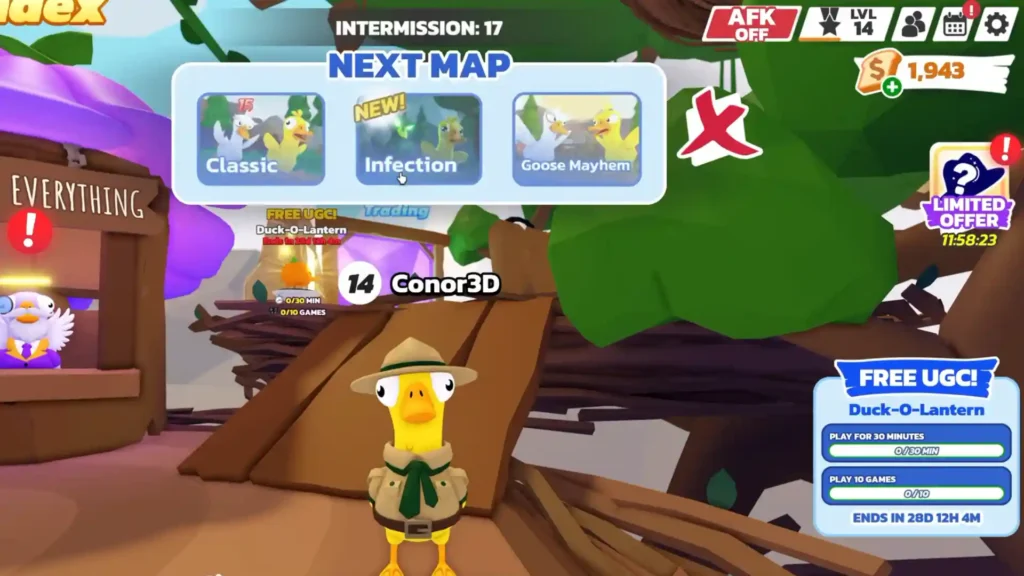
After collecting 25 ducks, you can either teleport or leave and then join Duck Duck. In there, you need to complete two more requirements:
- Stay in the game for a total of 30 minutes.
- Play 10 full rounds.
Remember, the game does not ask you to win the rounds. You just have to finish them. The time and round counters are tracked automatically, so make sure to just keep playing the matches until both numbers are done.
Return to Family Zone and Claim Your Item
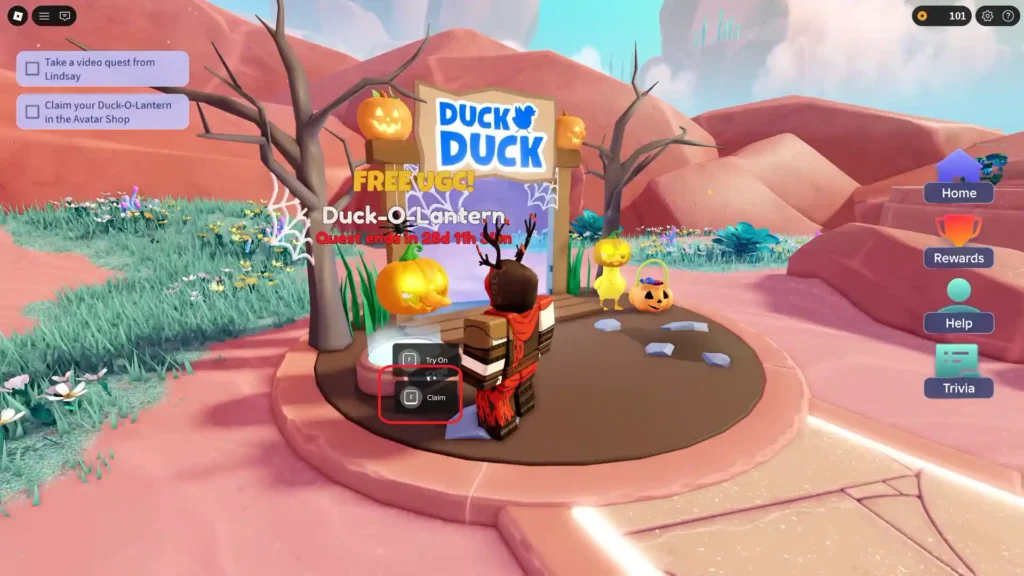
Go back to Family Zone and finish any remaining small steps the quest might ask. Once everything shows complete, look for the claim button near the portal. This works better if you are near the portal that takes you directly to Duck Duck.
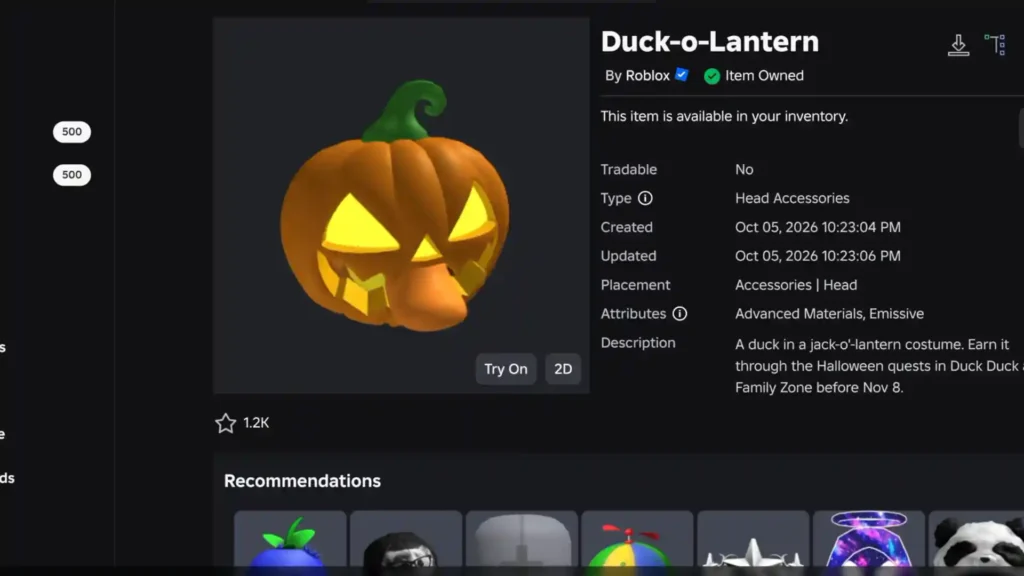
After claiming, the Duck-o-Lantern will now appear in your inventory. You can equip it from there.
Quick Tips to Make the Quests Easier for Duck-O-Lantern in Roblox
The Roblox event is still going strong till November 8, so it is good to have a few tips in mind before you jump into the quests:
- The item is unlimited stock for the duration of the event, so you don’t have to rush it.
- Progress is tracked across both games, so you can hop between them whenever you want.
- Mobile players may occasionally have trouble seeing the claim button, but standing near the Duck Duck portal in Family Zone can be a quick fix for this.
That concludes the entire process of acquiring the Duck-o-Lantern in Roblox’s Duck Duck & Family Zone areas. Just follow the quest logs once you start the event, and it should be straightforward to go through the levels.
