



When you are planning for an adventure in your van, why do it alone? It’s time to bring up your friends to make the van life more crowded and the gameplay more efficient in Outbound. Everything becomes much easier and faster when you have people around you working on different things at the same time. If you want to join or host a game in Outbound, this guide will help you figure out the multiplayer portion of the game.
Hosting a Game in Outbound
Requirement: First, complete the intro section of the game where you insert the voucher to download the blueprint from the tower. The blueprint will help you craft a Wrench, which you can use to lift up the barricade blocking the path in the parking lot. This will officially complete the prologue section of the game.
Once that’s done, the game will unlock the multiplayer portion. Here you can either join or host your game for your friends.
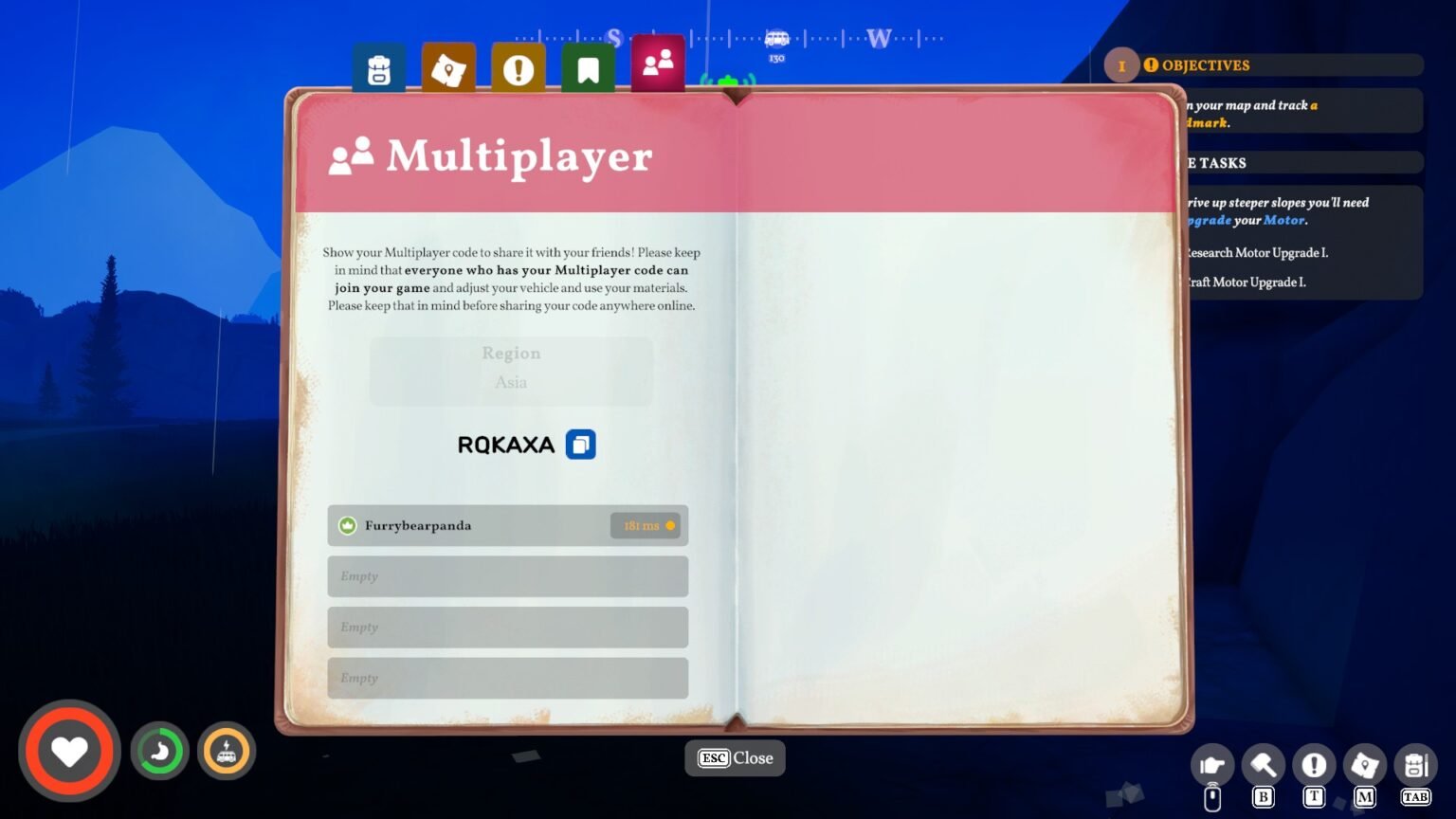
- Press ‘Esc‘ to pause the game, now select ‘Multiplayer‘.
- In the Multiplayer option, the first option is to select the Region. You can either choose an area where you currently reside or opt for Automatic. I would go for automatic, and let the game decide the perfect region for the game.
- Now click on Show Multiplayer Code, and the game will generate a random code for your session. Mine was, ‘RQKAXA,’ it takes a bit of time to generate the code. Now that you have the code, share it with your friends.
Note: The code will always be random for each session. If you quit the game and come back later on, you must follow the same process over again, and you will always be going to receive a different code to host a session.
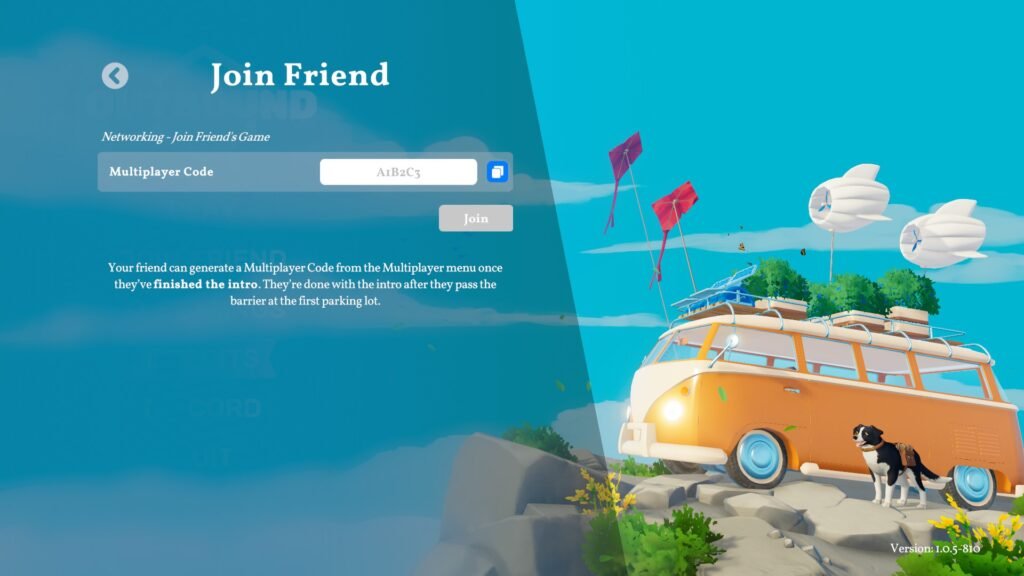
- Your friends need to launch the game, then click on ‘Join Game‘ in the Main Menu, and insert the code, ‘RQKAXA,‘ to drop into your session.
Under the Multiplayer section, you will see your ping details along with the list of friends who have joined your game. The host will have a crown icon next to it; that’s how you can separate the host from the rest of the group. Currently, there are four slots on the menu, which implies four people can play the game simultaneously.
The same code needs to be shared between all of your friends for them to join in your game; you don’t have to generate new code every session in Outbound.
Known Bugs
Some players have reported getting an error after generating a code to host the game. The message that pops up on the screen, after generating the code for the session reads as “Connection was interrupted, you’re offline, return to main menu”. The only potential fix is to switch to a VPN or select a different region to play multiplayer. Switching regions might help fix any disconnection issues you are having with the game.
Outbound has received a steady stream of updates fixing the multiplayer portion of the game, but if you are getting an exclusive error in your multiplayer session, you can copy the error code and report your findings.
