



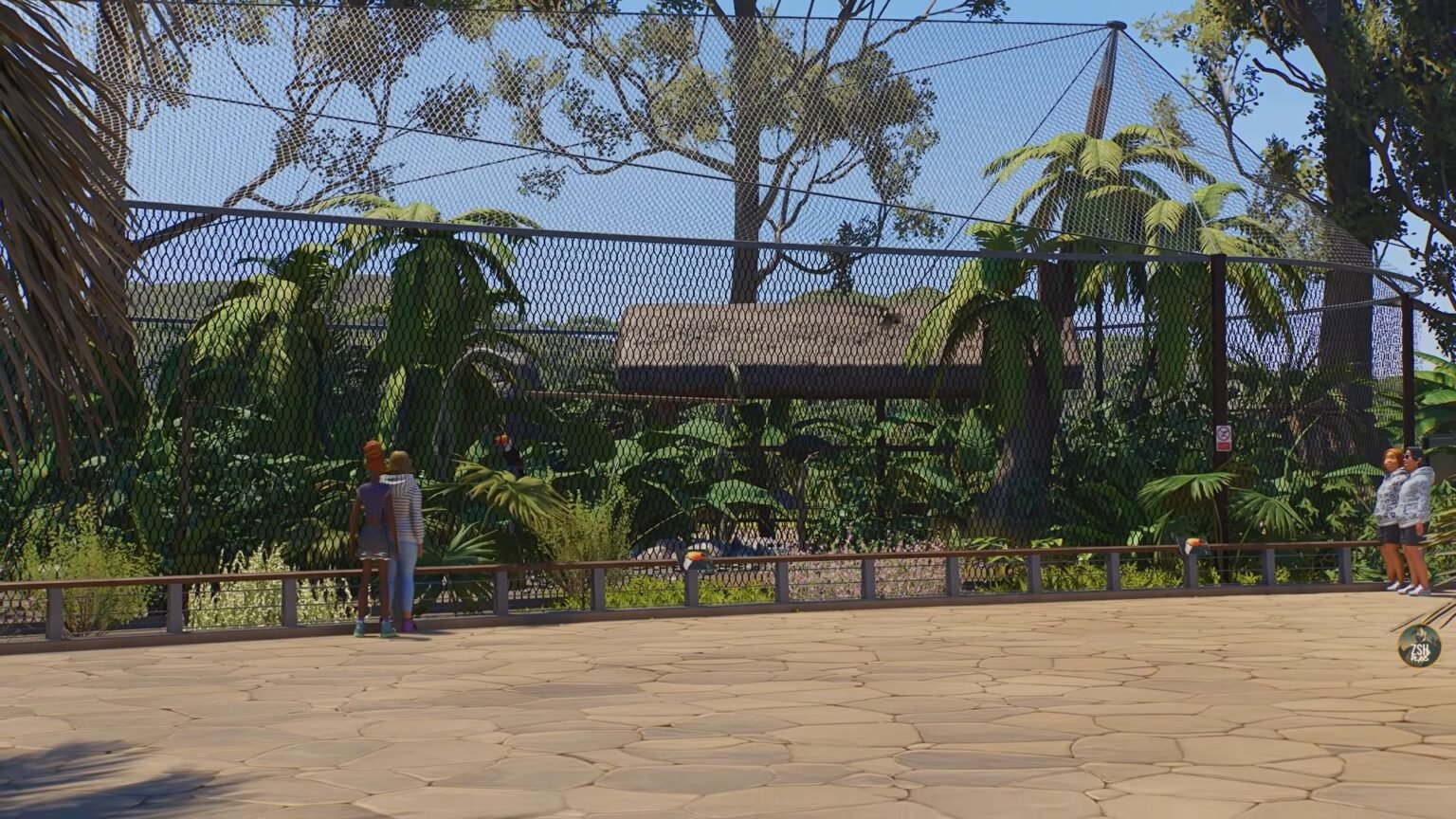

Maintaining a zoo is no easy task in Planet Zoo 2. With all the animals that you need to take care of, you will be required to build several different enclosures, get shelters, and keep them happy. Ultimately, once you have obtained several animals, you need to build several different enclosures to keep them in. This could take a long time to do, especially if you own several of the same species and don’t require different enclosures.
That’s where blueprints come in handy, as you can copy any existing structure, store it on your blueprint page, and reuse it whenever you want. That way, you don’t need to painstakingly redo the same structure all over again, and this guide here will detail how to create blueprints in Planet Zoo 2.
Blueprints in Planet Zoo 2 – How to Create
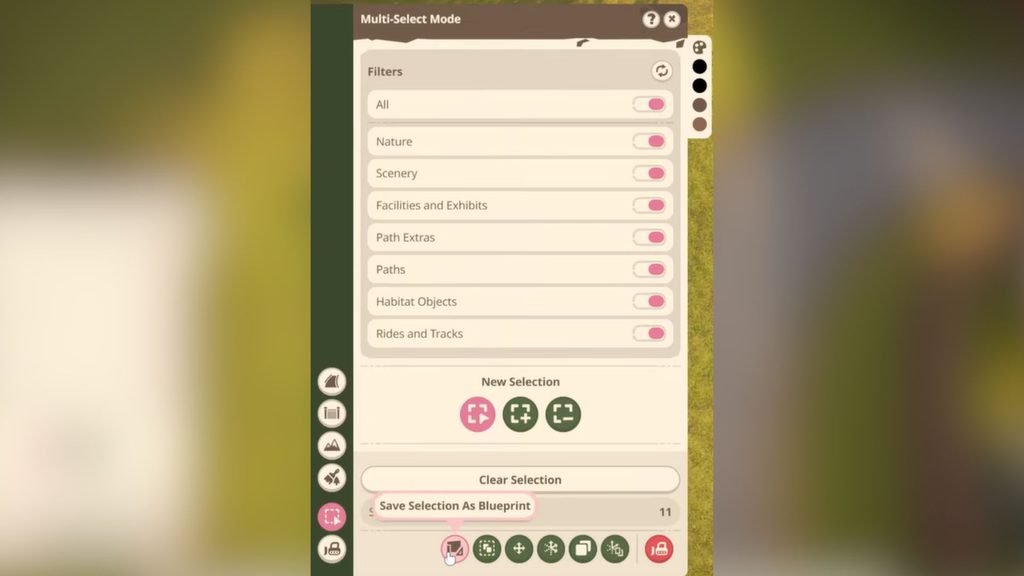
To learn how to create and save blueprints in Planet Zoo 2, first create the structure that you wish to recreate across your zoo. If there are multiple structures that you wish to add to a single blueprint, then select the Multi-Select tool on the bottom-left hotbar.
You can then drag your cursor over all the items you wish to group together. After selecting all the items, within the Multi-Select Mode menu, you will find the Save Selection as Blueprint option. This option is found at the bottom of the menu, and you can find it by hovering your cursor over each option. After selecting it, you will be taken to the Blueprint menu. Select the New Blueprint option to create a new blueprint.
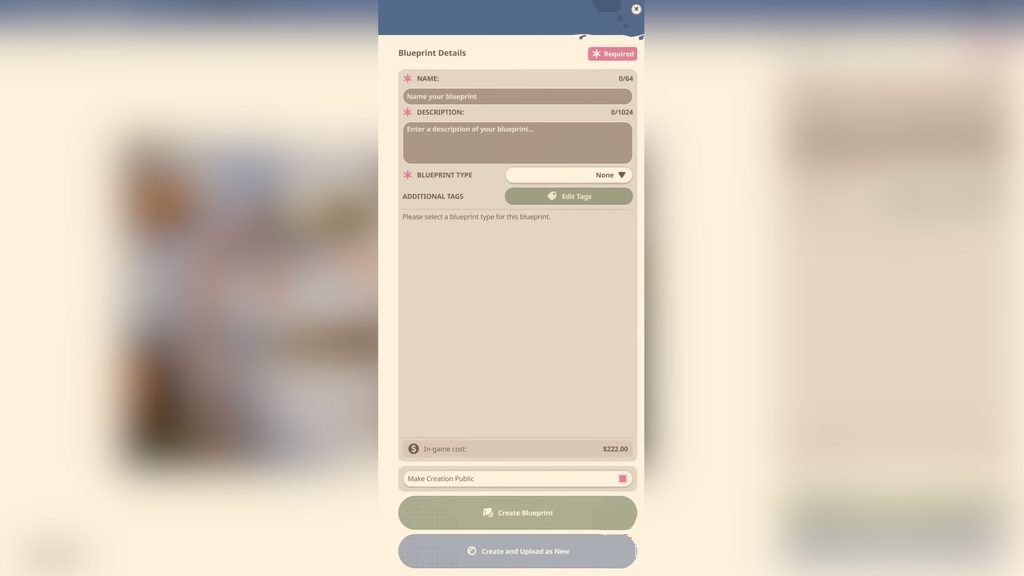
In this new menu, you can add a name for your blueprint, description, and even add blueprint types and tags. You can also set your blueprint to private or public, which is useful if you are playing online and wish to share blueprints with friends. At the bottom of the menu, on the right side, you will find a separate section that says In-game Cost. This is the amount that’s given to you if you wish to upload and sell your blueprints online.
And finally, you get the two confirmation options; you can either click Create Blueprint after finalizing everything, or select the Create and Upload option to sell your blueprints in the online Workshop.
How to Use Blueprints
At the bottom of your screen is where you can find the Blueprints option. Click on it and select the My Blueprints icon on the left to find all your saved blueprints. You can then drag and drop your blueprint onto your zoo ground and position it however you wish.
In case you own multiple blueprints and can’t be bothered shifting through them all to find the one you want, you can use the search bar at the top and input the name of the blueprint to find it. Each time you use a blueprint, you need to pay the amount mentioned to put it down.
Personally, I found creating blueprints a very handy feature, as I could replicate the same structure all over again across various enclosures without spending too much time creating everything from scratch.
