

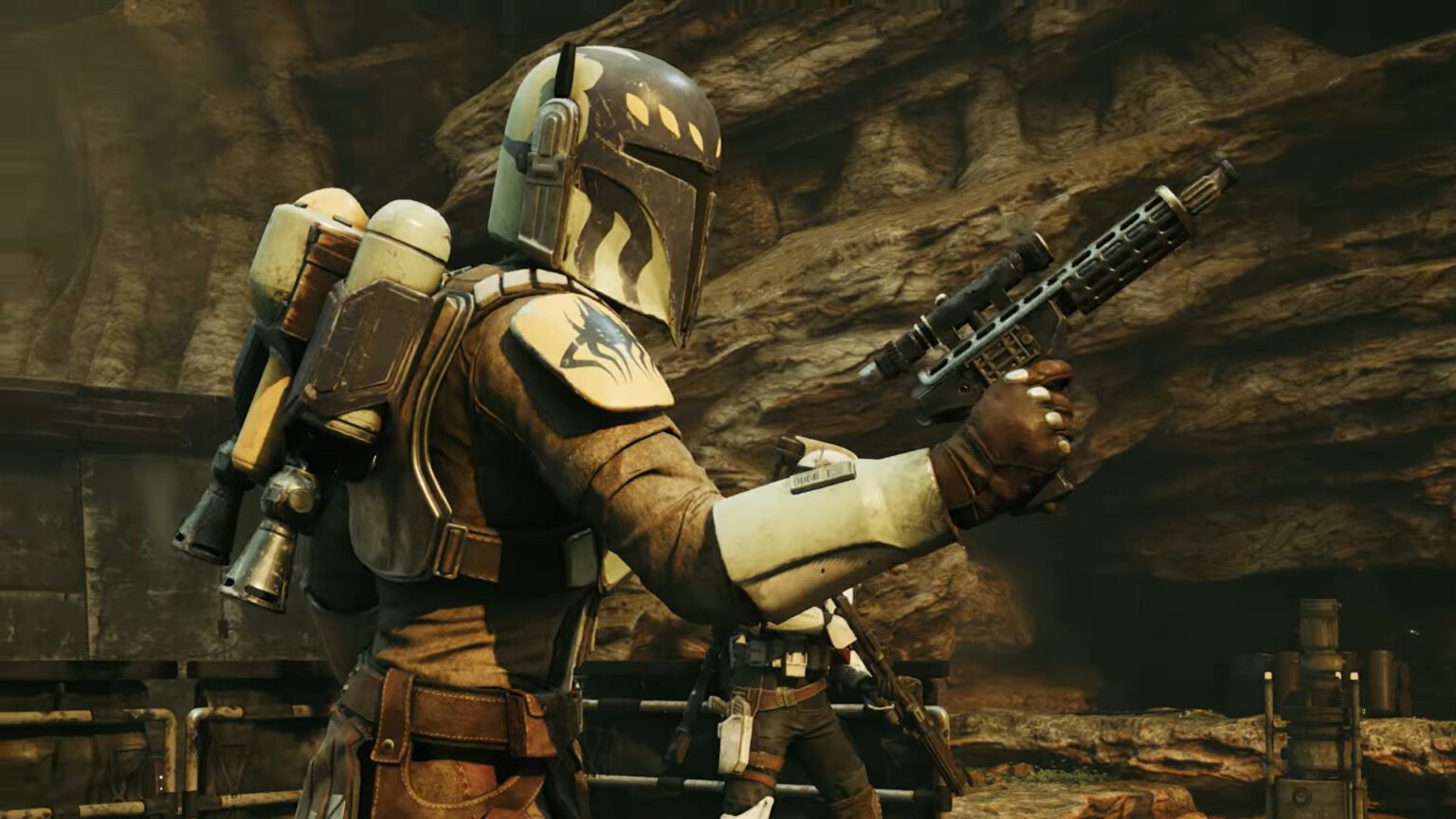

Focus Points are the most important stat needed in building any character for Star Wars Zero Company. These points are used to unlock various active and passive skills. Thus, earning more Focus Points and re-assigning already used ones is a very important part of the game. Without these crucial points, unlocking various core perks can be harder, which will definitely make combat much harder. I will first show you how to earn more Focus Points quickly and afterwards how to re-assign them.
How To Earn More Focus Points in Star Wars Zero Company
There are plenty of ways to get more Focus Points in the game. However, some of these can definitely be considered faster than others. Here are some of the methods I found that you can use:
- Bond System: Increasing the bond of a character with another unit can give you more Focus Points. The best way to increase the bond level between two units is to send them on missions and operations together. During these missions, have one unit call the other for backup or healing to further increase their bond.
- Missions: Complete Tactical Missions with units to earn more Points that you can invest back into your units.
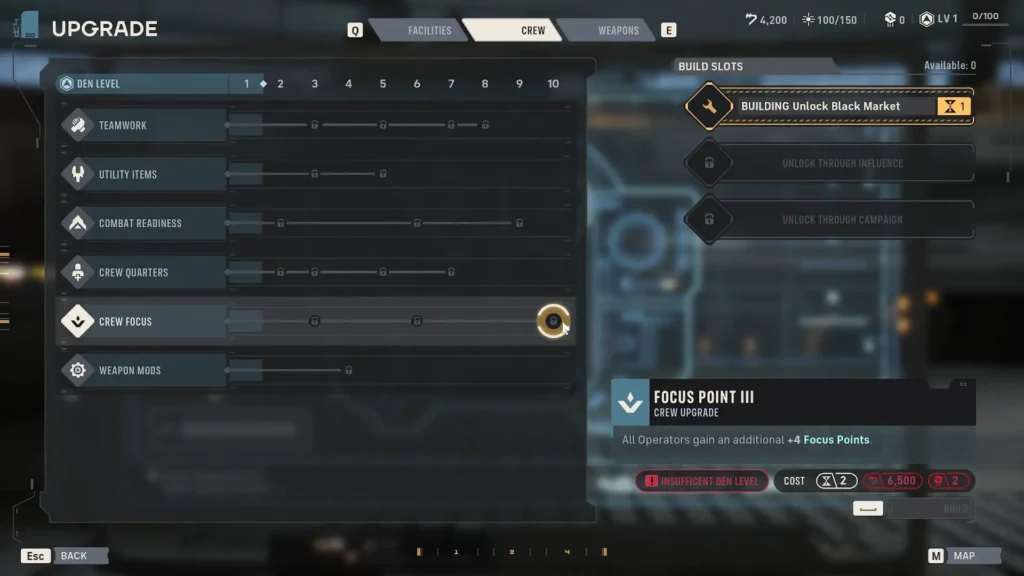
- Den Upgrade: You can upgrade your Den in various areas to give you benefits in and out of combat. One of the most important upgrades is definitely the Crew Focus upgrade under the ‘Crew’ tab. At max level, it gives every crewmate four extra Focus Points.
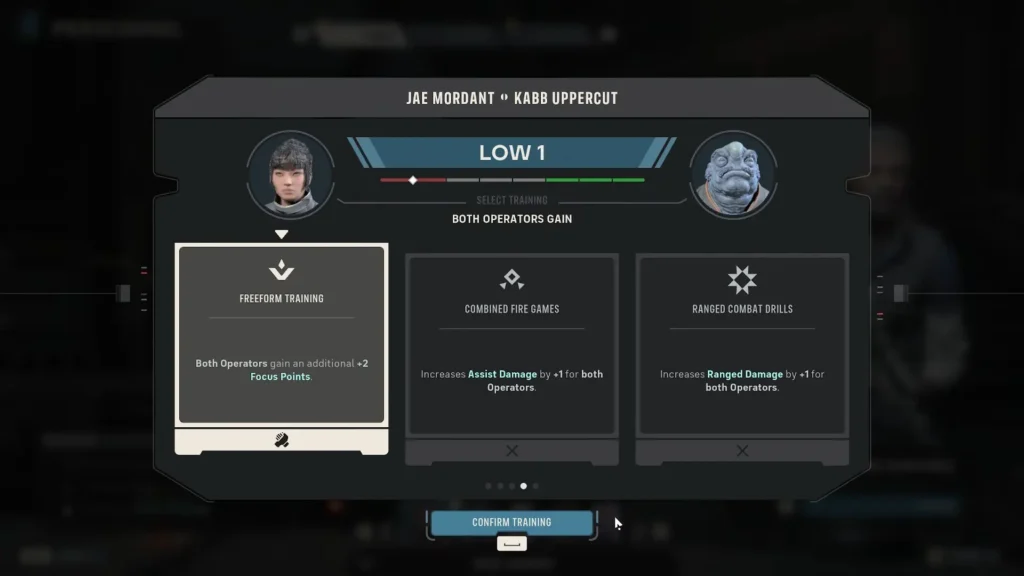
Apart from the above methods, these points can also be earned as a result of some Cross-Training rewards. However, this is not always guaranteed, and thus not the best method to prioritize. Finally, certain choices you make can also give Focus Points.
How To Re-Assign Focus Points in Star Wars Zero Company
Re-assigning Focus Points that you have already used is a very simple process. You do not need to worry about wasting resources or spending them to refund these points. Instead, follow the steps given below to easily re-assign Focus Points:
- Open the Focus Tree for the character that you have already used Points for.
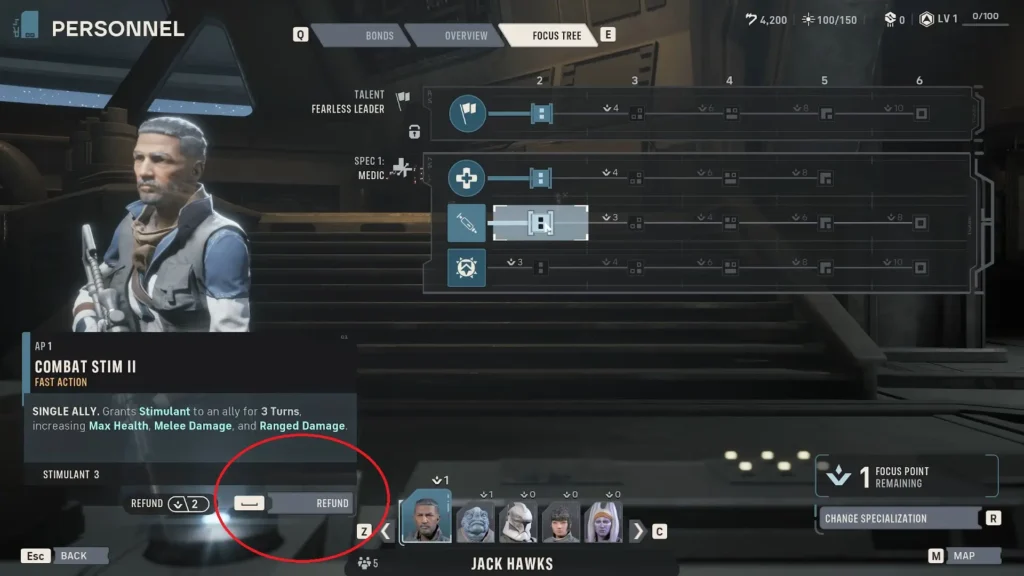
- Click on a skill that you have upgraded (invested points in). If you click on a skill that you have not upgraded, it will instead show you how many points you need to upgrade it.
- Now, glance towards the left side of the screen. It will show you the amount of points that you will get upon initiating a refund.
- In the above case, Combat Stim II costs two points to upgrade. So, I will get two Focus Points upon starting a refund.
- On the left side of the screen, you will see a ‘Refund’ button, which is circled in red in the picture above. Click this, and you will receive the points back. You can now reinvest or reassign these points into whatever other Talent or skill you want.
Re-assigning these points is a great way to experiment with character builds. It also allows you to be flexible with your units by allowing you to shift your character strategies whenever you want, without any additional cost.
