


There is no need to be a lone van rider in Outbound, as the game allows you to have a dog as a pet (sorry, cat fanatics). And yes, you can pet the dog, but it’s not the only thing you can do with the dog; you are allowed to customize the dog and let it carry half of the stuff.
If you have been playing the game for a long time, then you are probably aware of the inventory management system, so having a dog around is a lifesaver. Here is the complete companion guide in Outbound.
How to Get a Dog in Outbound
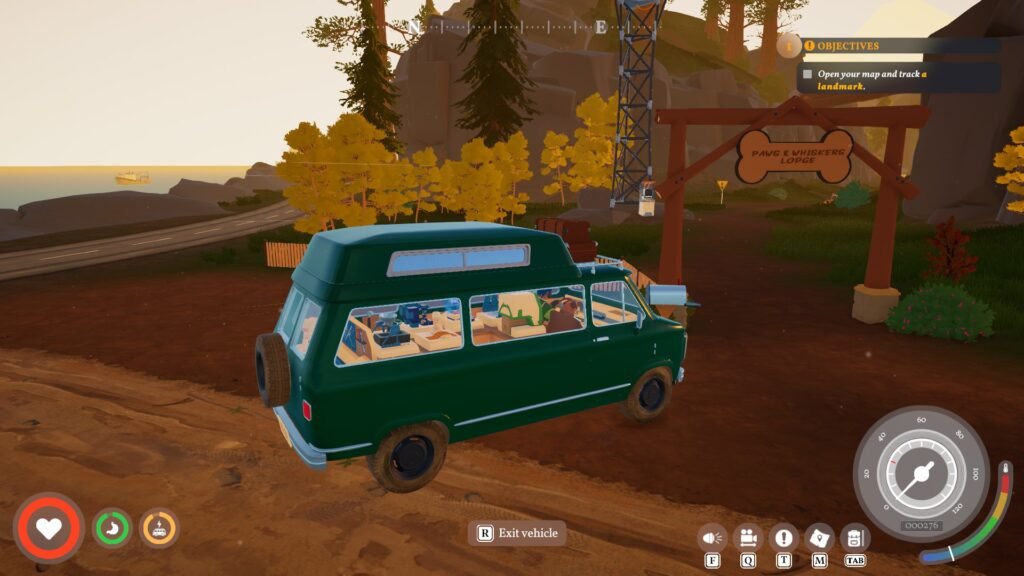
You must complete the first area of the game to get to dog petting. At the beginning of the second region, Coast, you will find the gate near the first tower, titled “Paws and Whiskers Lodge” on the side of the road. Park your van outside, follow the route inside the Paws and Whiskers Lodge to get to the dog house at the end of the road.
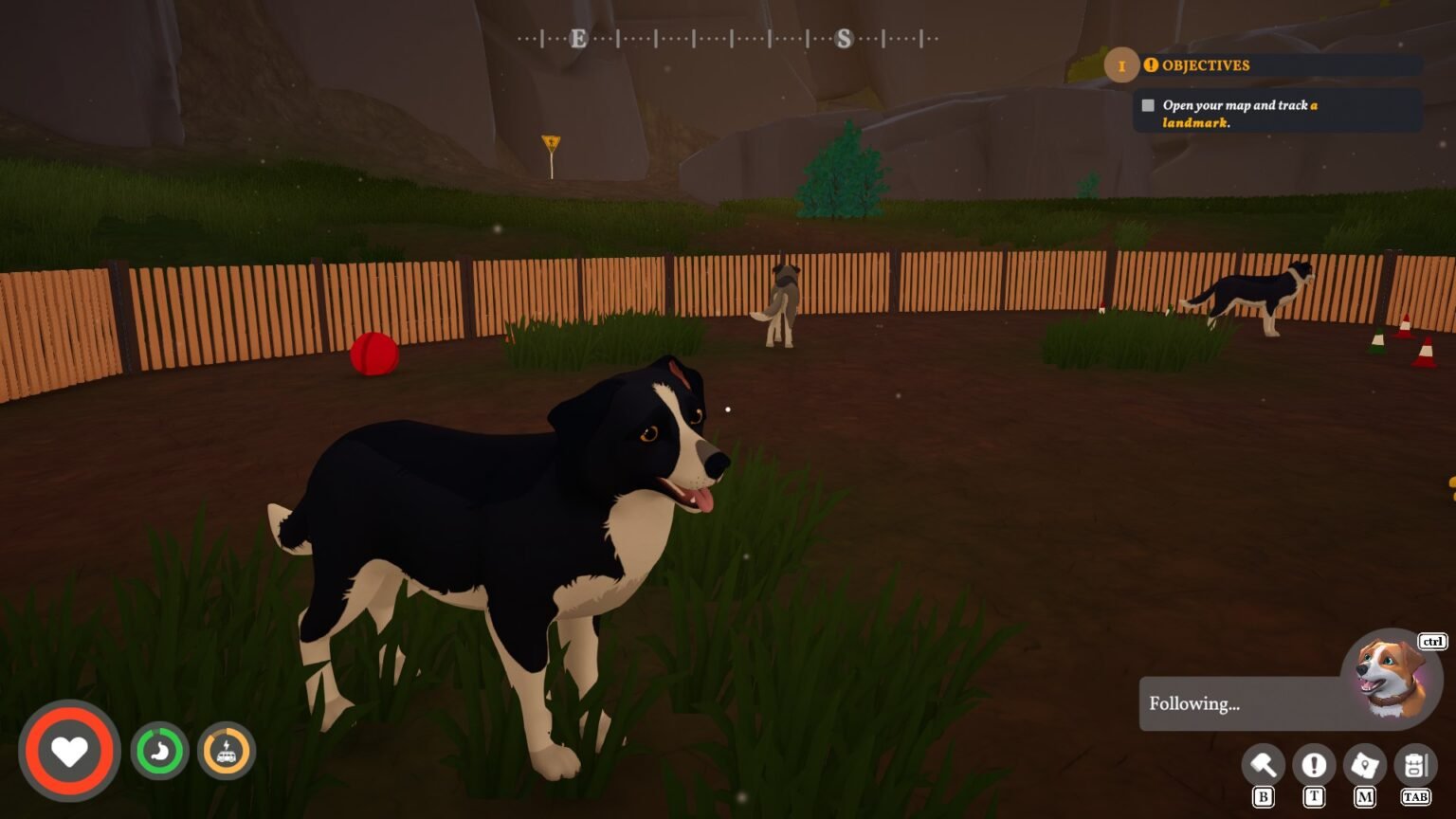
Head inside, and you will find dogs playing in the backyard. You don’t need to pay any money to get them; just interact with any of them, and you can get them as a pet. Of course, you have to set up a name for them, and immediately the dog will start to follow you, no matter where you go. You will also unlock the achievement ‘Fur-Ever Friend’ by adopting the dog. While you are here, interact with the dog’s collar to get the option to pet the dog; it will unlock another dog-related achievement, ‘Can you Pet the Dog?’.
You are allowed to pick between a number of dogs with different appearances. So far, from what I can make out, there is no difference between one dog and another in terms of speed or inventory size.
Before you name the Dog
The thing I learned after picking a dog is that they become a permanent part of your van life, just like in real life. Once you accept a dog into your crew, you can’t adopt another dog. So, do take your time when you are planning to adopt a dog to your crew, don’t rush it. The same goes for the name of the dog as well; you can’t change the name of the dog for the second time. You have to live with your failure, in this case, an awful name.
The dog will follow you everywhere, even if you get on a van and leave the spot without carrying the dog. The icon for the dog following status will be visible at the bottom-right of the screen. It will start chasing long distances without tiring. So deposit the materials and leave. The dog will always follow you. Once it reaches the van, take the stuff out of the dog and deposit it in the van.
How to Upgrade the Dog’s Carrying Size And New Commands
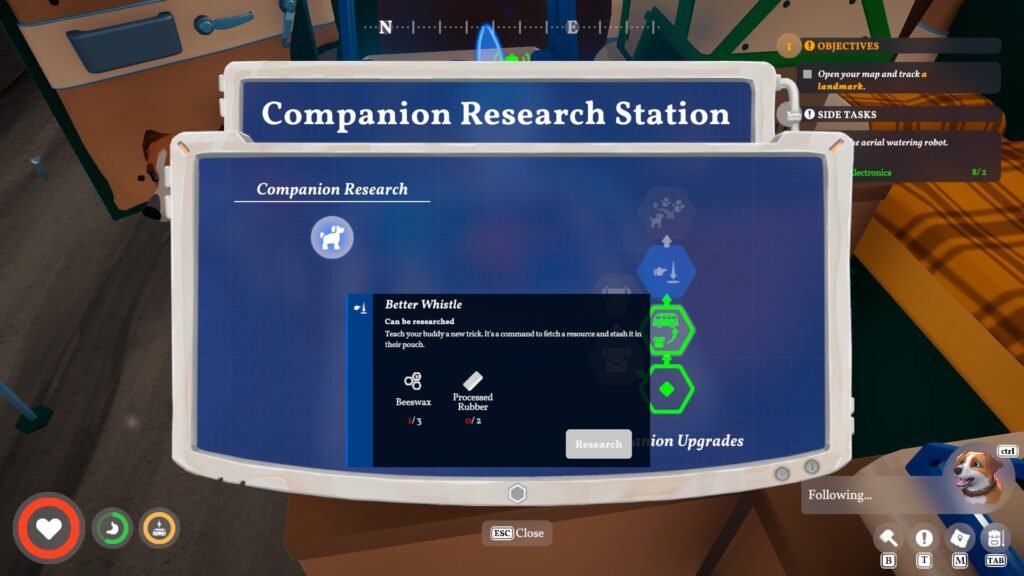
You will need to craft a Companion Research Station machine to upgrade your dog’s carrying capacity and command system.
The dog becomes more than a side character by having its own upgrade system and command upgrade that makes the dog more efficient and useful. The dog, by default, comes with 10 extra carrying spaces. You can directly deposit your materials in the dog pouch by interacting with the pouch on the dog’s torso. You can command the dog and pet it by interacting with the dog’s collar.
- Companion Research Station: You will need Scrap Metal x2 and Redwood x3 to craft the machine. The machine is tied to the blueprint, so interact with as many towers as possible to grab the blueprint for this machine.
- Companion Training Station: Get Durafiber x2 and Natural Rubber x3 to build it; it will allow you to teach additional commands to the dog.
Note: Redwood is tied to Chapter 2, same as the dog, so you will find the Redwood all around the Coast.
Companion Research Station has a good list of upgrades (Pouch or Inventory Space/ More Commands), but most of the materials required for higher upgrades are attached to chapters; some of the materials required for higher upgrades are going to be available in the later regions. Unfortunately, you can’t upgrade all the nodes on the Companion Research Station, but you can get a handful of upgrades in Chapter 2.
Another layer of companion upgrades lies in the Sewing Table (Fiber x5 to craft). But the upgrades are tied to blueprints, so grab the blueprints for even more layers of upgrades for the dog in Outbound.
